How SM Tasker Works (In 60 Seconds)⏱️
Welcome to SM Tasker aka Social Media Tasker! This guide will introduce you to mobile automation and show you how it works and how to get your first automation running.
What is phone automation?
Phone automation means allowing a software to perform actions on your phone automatically.
For example, instead of:
- Opening apps
- Posting content
- Performing actions manually
👉 SM Tasker does it for you in the background.
Why use SM Tasker?
Using SM Tasker helps you:
- Save time – automate repetitive actions
- Reduce manual work – no need to do everything yourself
- Run multiple accounts – manage more at once
- Scale easily – grow without extra effort
SM Tasker connects your phones, accounts, and tools in one place so you can automate tasks easily.
You don’t need coding or technical skills.
How does the magic happen
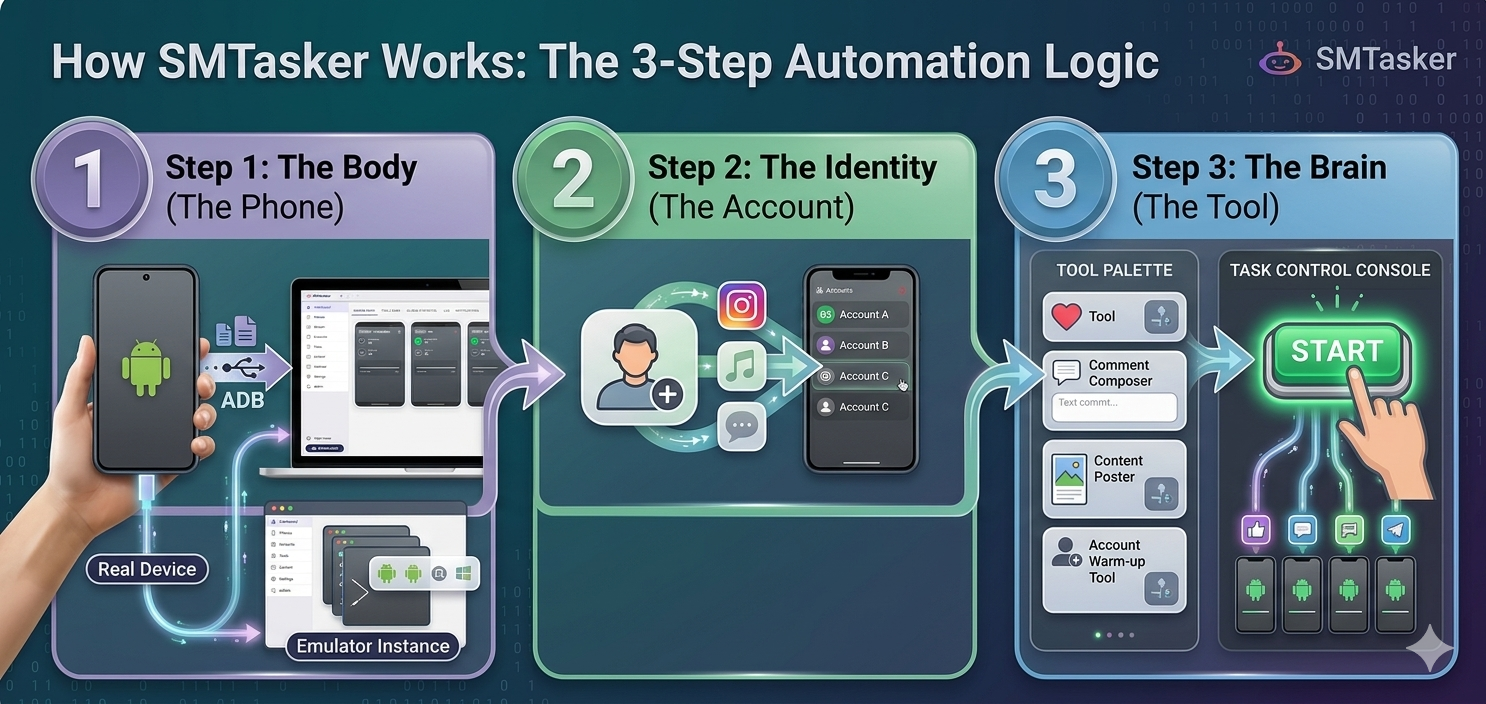
You don’t need to be a developer to use SM Tasker. Every automation follows a simple 3-step logic:
-
The Body (The Phone): You connect a real Android phone or an emulator (like LDPlayer) to the Dashboard. This is the “machine” that will do the work.
-
The Identity (The Account): You add your social media or app accounts. This tells the phone one which account you want to execute the actions.
-
The Brain (The Tool): You pick a “Tool” from your dashboard (like an Auto-Liker, Follower or Poster..) and hit Start.
Example
Here’s a simple example:
- You connect 1 phone
- You add 1 account
- You start a tool
👉 SM Tasker runs the action automatically for that account on that phone.
What you can do with SM Tasker
With SM Tasker, you can:
- Run actions automatically on multiple phones
- Manage multiple accounts at once
- Save time on repetitive work
- Scale your operations without manual effort
Now that you understand how SM Tasker works, let’s set it up.
👉 Next step: Create your SM Tasker account.