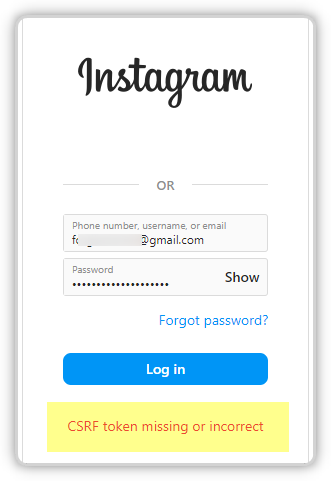
Encountering the error message “CSRF token missing or incorrect” can be frustrating, especially when it prevents you from logging in or completing an action on a website. This issue is fairly common and is usually tied to how websites manage security and user sessions.
In this guide, you’ll learn what this error means, why it happens, and the most effective ways to fix it.

What Is a CSRF Token?
A CSRF (Cross-Site Request Forgery) token is a security feature used by websites to protect users from unauthorized actions. It works by generating a unique, temporary token for each session. This token is then verified every time you submit a request, such as logging in, submitting a form, or making changes to your account.
If the token is missing, expired, or doesn’t match what the server expects, the request is rejected. That’s when you see the error message.
Why Does This Error Occur?
There are several reasons why a CSRF token might become invalid or fail to load properly. Below are the most common causes:
1. Session Timeout
Most websites automatically log users out after a period of inactivity. When this happens, the CSRF token associated with your session expires. If you try to continue using the site without refreshing or logging back in, the system will reject your request.
2. Corrupted or Outdated Browser Data
Your browser stores cookies and cached files to improve performance and remember sessions. However, if this data becomes outdated or corrupted, it can interfere with token validation.
3. Disabled or Blocked Cookies
CSRF tokens are often stored in cookies. If your browser blocks cookies or restricts them due to privacy settings, the token may not be sent correctly.
4. Browser Extensions Interference
Extensions such as ad blockers, privacy tools, or script blockers can sometimes interfere with how websites load or process requests. This can disrupt CSRF token validation.
5. Network or Proxy Issues
Using a VPN, proxy server, or strict firewall settings may alter or block parts of your request. This can lead to mismatches between the token sent and what the server expects.
6. Multiple Tabs or Sessions
Opening the same website in multiple tabs or logging in from different devices can sometimes cause token conflicts, especially if the session is refreshed in one tab but not another.
How to Fix the CSRF Token Error
Fortunately, this issue is usually easy to resolve. Follow the steps below to fix the problem:
1. Refresh the Page
Start with the simplest solution. Reloading the page can generate a new CSRF token and restore your session.
2. Log Out and Log Back In
If your session has expired, logging out and signing back in will create a fresh session with a valid token.
3. Clear Browser Cache and Cookies
Clearing your browser data can remove corrupted or outdated files that may be causing the issue.
- Go to your browser settings
- Clear cookies and cached images/files
- Restart your browser
After doing this, revisit the website and try again.
4. Enable Cookies
Make sure your browser allows cookies, especially for the site you’re trying to access. Without cookies, CSRF tokens may not function correctly.
5. Disable Browser Extensions
Temporarily turn off extensions, particularly those related to privacy or ad blocking. Then reload the page to see if the issue is resolved.
6. Try a Different Browser or Device
If the error persists, switch to another browser or use a different device. This helps determine whether the issue is browser-specific.
7. Check Your Network Connection
If you’re using a VPN or proxy, try disabling it temporarily. You can also switch to a different network (for example, from Wi-Fi to mobile data) to see if that resolves the problem.
8. Avoid Using Multiple Tabs
Close duplicate tabs of the same website and work within a single session to prevent token conflicts.
When to Contact Support
If you’ve tried all the steps above and the error still appears, the issue may be on the website’s side. In that case, consider reaching out to the platform’s support team.
Provide details such as:
- The exact error message
- The action you were trying to perform
- Your browser and device information
This can help them diagnose and resolve the issue more quickly.
Final Thoughts
The “CSRF token missing or invalid” error might seem technical, but it’s usually caused by simple issues like expired sessions, browser data problems, or network interference. In most cases, clearing your cache, refreshing your session, or adjusting your browser settings will fix it within minutes.
Understanding why this error happens can also help you avoid it in the future, ensuring a smoother and more secure browsing experience.