Which Proxy Type Should You Use for Safe Social Media Automation?
If you’re managing multiple social media accounts with SM Tasker, your IP address matters almost as much as your behavior settings. Run several accounts from…
That’s where proxies come in. The right proxy gives each account its own clean, location-stable IP that looks indistinguishable from a real user on a home or mobile network. The wrong proxy gets you flagged before you even start.
This guide breaks down the proxy types that work for social media automation, the one type you should avoid, and how to think about proxies for your SM Tasker setup.
Do You Even Need a Proxy?
Not every SM Tasker user needs proxies. Here’s a simple rule of thumb:
| Setup | Need Proxies? |
|---|---|
| 1-2 accounts on a single phone | No, the phone’s own IP is fine |
| Multiple accounts on the same phone (3+) | Recommended — one proxy per account |
| Multiple phones in the same location (Wi-Fi) | Strongly recommended |
| Running multiple accounts (10+ accounts) | Essential |
The reason is simple: when multiple accounts share a single IP, platforms can link them together. If one account gets flagged, the rest are at risk. A proxy gives each account its own unique digital address, so they look like independent users to the platform.
The 4 Proxy Types (And Which Ones to Use)
1. Mobile Proxies (4G / 5G) — The Gold Standard
Mobile proxies route your traffic through a real cellular connection — the same kind of IP your phone uses when it’s on mobile data. Because real users browse Instagram and TikTok primarily on mobile, these IPs have the highest trust score with social platforms.
Why they work so well:
- Carrier IPs are shared by thousands of legitimate users — platforms can’t ban them without affecting real customers
- 4G/5G IPs naturally rotate as devices switch towers, which creates an organic, untraceable pattern
- Most TikTok and Instagram users are on mobile, so a mobile IP is the most “expected” connection type
The trade-off: Mobile proxies are the most expensive type — typically $40-150+ per month per dedicated proxy. They’re also occasionally slower than other types, but the safety advantage is significant.
Best for: Account creation, warm-up periods, high-value accounts, recovery after a block, and any scenario where maximum safety matters more than cost.
2. Residential Proxies — The Solid Default
Residential proxies use IP addresses assigned by real internet service providers to real households. From the platform’s perspective, traffic looks like it’s coming from someone’s home Wi-Fi connection — which is exactly the kind of connection a normal user would have.
Why they work:
- The IPs are tied to real residential addresses, which platforms treat as legitimate by default
- They’re significantly cheaper than mobile proxies, making them practical for managing larger account portfolios
- They offer good speed and reliability for day-to-day automation
The trade-off: Residential IPs are slightly less trusted than mobile IPs, but they’re still very safe when sourced from a reputable provider. Watch out for cheap residential pools that recycle IPs that have already been flagged.
Best for: Managing established accounts at scale, when you want strong safety at a reasonable cost.
3. ISP Proxies — The Middle Ground
ISP proxies (sometimes called “static residential”) are hosted in data centers but use IP addresses assigned to internet service providers. They look more legitimate than pure datacenter proxies but less natural than true residential or mobile IPs.
Pros: Faster than residential, more stable (the IP doesn’t change), and cheaper than mobile.
Cons: Less trusted than residential or mobile because the underlying infrastructure is still server-based. Some platforms have started detecting them.
Best for: Lower-risk activities or as a budget alternative when residential is out of reach. Not recommended for new account creation.
4. Datacenter Proxies — Avoid These
Don’t use datacenter proxies for social media automation. This is the most important rule in this article.
Datacenter proxies are cheap and fast because they’re hosted on commercial server infrastructure — but social platforms know this. Instagram, TikTok, Facebook, and others maintain blocklists of known datacenter IP ranges, and they flag traffic from these IPs almost instantly.
You’ll see datacenter proxies marketed aggressively because they’re profitable for providers to sell. Don’t be tempted by the low price. Using a datacenter proxy on a social account is essentially announcing “I’m using automation” to the platform on day one.
Use them only for: Web scraping non-social sites, SEO monitoring, or other non-login-based tasks. Never for Instagram, TikTok, or any other social platform.
Quick Comparison
| Type | Trust Level | Cost | Speed | Best Use Case |
|---|---|---|---|---|
| Mobile (4G/5G) | Highest | $$$$ | Variable | New accounts, warm-up, recovery |
| Residential | High | $$$ | Good | Day-to-day account management |
| ISP (Static Residential) | Medium | $$ | Fast | Established accounts, budget |
| Datacenter | Very Low | $ | Fastest | Don’t use for social media |
How Many Accounts Per Proxy?
This is where many users get it wrong. They buy one proxy and route 10 accounts through it — which defeats the entire purpose of using a proxy in the first place.
The rule: One dedicated proxy per account, or at most 2-3 accounts per proxy if you’re on a tight budget.
| Proxy Setup | Risk Level |
|---|---|
| 1 account per dedicated proxy | Lowest — recommended for high-value accounts |
| 2-3 accounts per dedicated proxy | Acceptable |
| 5+ accounts per proxy | High — platforms can correlate accounts |
| Shared (rotating) proxy pool | Very high — IP changes look suspicious to platforms |
Stick with one IP per account whenever possible. A real user’s IP doesn’t suddenly change every hour. If your account’s IP keeps switching, that’s a signal to the platform that something isn’t right.
If you are on a budget, you can test with multiple accounts on the same proxy.
What to Look For in a Proxy Provider
Once you’ve decided on a type, choosing a reputable provider matters just as much. Watch for these factors:
- Dedicated, not shared. Make sure the IP is yours alone. Shared IPs get burned fast because you don’t control how other users behave on them.
- Sticky sessions. The proxy should hold the same IP for as long as you need it (ideally permanently for a single account). Avoid providers that force you to rotate IPs every few minutes.
- Geographic targeting. Pick a proxy in or near the location your account claims to be in. A US-based account suddenly logging in from a Russian IP is a major red flag.
- Clean IP history. Reputable providers vet their IP pools and replace any that get flagged. Cheap providers recycle burned IPs back into circulation.
- Mobile proxies should be from real SIM-based infrastructure, not virtualized “mobile-like” IPs. Ask the provider directly.
- Free trial or money-back guarantee. Test the proxy with a low-value account for a few days before connecting your important accounts.
Setting Up a Proxy with SM Tasker
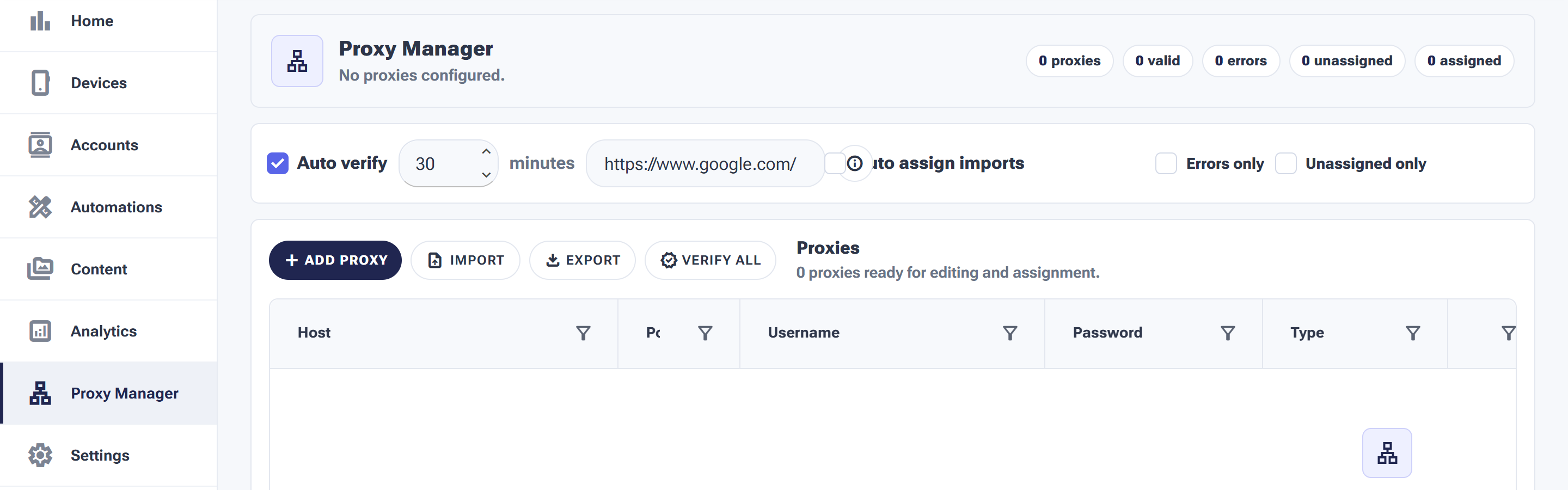
Once you’ve bought your proxies, the Proxy Manager is where they get added, verified and assigned — the full page guide walks through every button.
SM Tasker runs on your physical Android device, so the proxy setup happens at the device level — not inside the app. Here’s the general flow:
- Purchase a proxy from a reputable provider that offers Android-compatible proxies (mobile or residential).
- Configure the proxy on the device — this is usually done either through the phone’s Wi-Fi proxy settings, a VPN-style proxy app, or a dedicated proxy management app on the Android device.
- Verify the proxy is active by visiting an “what’s my IP” page in the phone’s browser. The IP shown should match the proxy you purchased.
- Open the social media app (Instagram or TikTok) and log into the account that should use this IP. From this point on, all activity from that app will route through the proxy.
- Run SM Tasker as normal. Because SM Tasker operates inside the actual app, it automatically uses whatever connection the app uses — proxy and all.
If you’re managing multiple accounts on the same device, you’ll typically use a multi-account or device-isolation tool that lets each account use its own proxy independently.
A Note on Geo-Location and Country Matching
This is the proxy detail most people miss: your proxy’s country needs to match the rest of your account’s signals.
If your account profile says you’re based in New York, but your proxy is in Brazil, your phone language is set to Spanish, and your bio says “Madrid, Spain” — those mismatches are easy for platforms to detect.
Keep it consistent:
- Pick a proxy in the country (and ideally state/region) your account targets
- Match the phone’s language and time zone to that region
- Make sure your bio location, post locations, and tagged places line up
- Don’t switch proxy locations after the account is established — pick a region and stick with it
Common Proxy Mistakes to Avoid
| Mistake | Why It’s a Problem |
|---|---|
| Using datacenter proxies because they’re cheap | Pre-flagged by every major social platform |
| Sharing one proxy across 10+ accounts | Defeats the purpose — accounts get correlated anyway |
| Switching proxies mid-account | Sudden IP/location change looks like account takeover |
| Using a free proxy | Free proxies are usually flagged, slow, or stealing your data |
| Mismatching proxy country with account language/bio | Inconsistencies are an obvious bot signal |
| Forgetting to verify the proxy is actually active | If the proxy fails silently, you’re using your real IP |
What to Do Next
- Decide whether you actually need proxies based on your account count and setup.
- If yes, pick the right type for your use case (mobile for new/recovering accounts, residential for established ones).
- Buy from a reputable provider with dedicated IPs and sticky sessions.
- Match the proxy’s geographic location to your account’s target region.
- Verify the proxy is active before logging into the account.
- Read How to Avoid Shadowbans and Action Blocks for the full safety playbook that proxies are part of.
Want to research current proxy providers? Search “best mobile proxies for Instagram” or “best residential proxies for TikTok” — the market changes quickly, so check recent reviews before you buy.