Managing multiple Instagram accounts can feel like a game of cat and mouse in the modern digital space. One day everything is running perfectly, your engagement is climbing, and your notifications are full of life. The next day, you log in only to be hit with a frustrating, bright red “Action Required” error message right in the middle of your screen. If you are trying to grow your personal brand, build a dedicated online audience, or manage accounts for local business clients, this sudden error can completely halt your daily progress. It instantly stops your scheduled posts, pauses your outreach campaigns, and leaves you worrying whether your account has been permanently blocked or banned by the platform.
Fortunately, getting past this annoying digital roadblock does not require an advanced computer science degree or years of technical experience. This message is simply Instagram’s automated security system putting up a temporary stop sign to protect the network. The platform uses highly sensitive, smart security filters to monitor for sudden changes in behavior, unusual spikes in activity, or account logins from unexpected physical locations. When the system does not completely recognize something, it temporarily freezes the account session until a real person can step in and prove they are the true owner.
By understanding exactly why these safety stops happen and following a few simple steps, you can quickly fix your accounts, clear the error, and keep your social media presence running safely without losing any of your hard-earned progress.
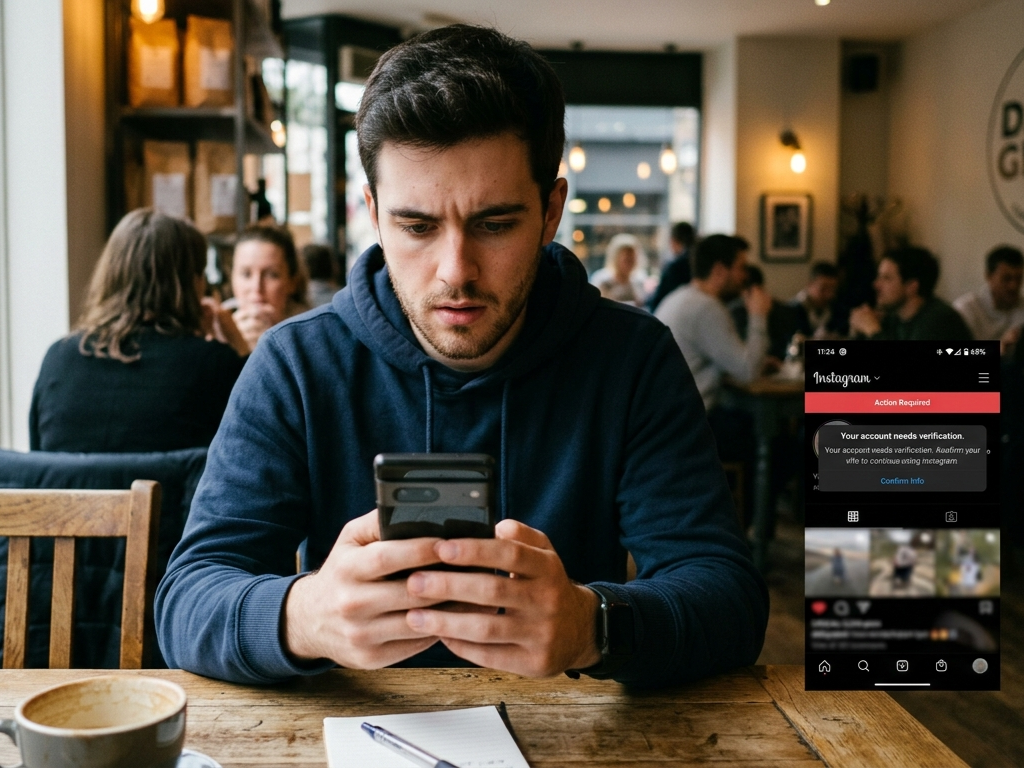
Keep Calm and Don’t Panic
For small business owners and independent creators, encountering these errors can feel incredibly overwhelming, especially when your livelihood depends on staying connected with your online community. It is easy to assume that you have done something terribly wrong or that your account is gone forever. However, it is important to remember that these automated checkpoints are designed to catch malicious hackers and automated spam networks, not authentic creators.
Because the algorithms are entirely automated, innocent users frequently get caught in the crossfire. Learning how to speak the platform’s language and navigate its safety checks calmly is an essential skill for anyone looking to build a long-term, resilient presence on modern social media platforms.
A Simple 4-Step Checklist to Fix the Error
If one of your accounts happens to get stuck on the “Action Required” screen, there is absolutely no reason to panic or abandon the profile. You can easily clear out the error manually by taking your time and following a straightforward, orderly cleanup process. The main goal during this recovery sequence is to completely clear out any stuck data and give the account a perfectly fresh start so that Instagram’s automated filters stop flagging the login session as suspicious or risky.
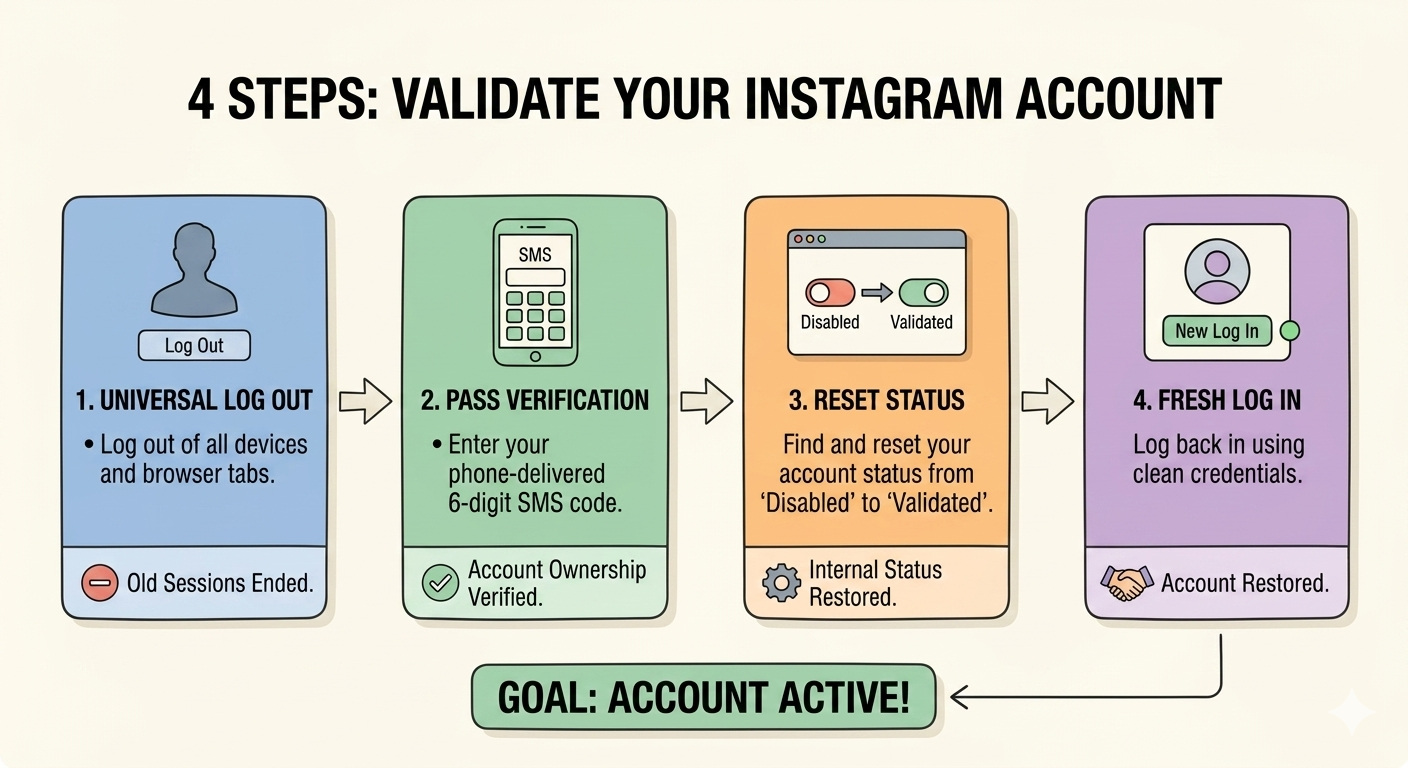
1. Log Out of Every Single Device
The absolute first step in the recovery sequence must be to disconnect and log out of the troubled Instagram account on every single smartphone, tablet, desktop computer, and background software tool it is currently connected to. Leaving old, stale login sessions running while you simultaneously try to fix the problem completely confuses Instagram’s security system. To the platform’s filters, it looks like multiple different people from different areas are trying to forcefully hack into the account at the exact same moment. This confusion only triggers a wave of secondary security alerts that make the error harder to clear. Completely logging out everywhere gives the account a clean slate.
2. Pass the Basic Verification Check
Once you are completely confident that the account is fully logged out of all peripheral devices, open your primary account management software or dashboard and click the manual verify button. This action alerts Instagram’s system that you are ready to answer its pending security challenge. In many cases, the platform simply wants a basic, routine proof of identity to clear the flag. If the system prompts you to complete a simple check—such as entering a quick security code sent to your phone via text message or clicking a confirmation link sent to your account’s email address—completing this validation step will instantly return your profile to a valid, healthy status.
3. Tell Your Management Software the Account Is Clean
Sometimes, even after you have successfully verified the account and proven your identity, your management software dashboard might stay temporarily stuck on the old error screen. To fix this, you simply need to manually update the status inside your software interface. Look through your social profiles panel, highlight the restricted account, and click the option that says “Mark as Valid,” “Reset Status,” or “Clear Error Code.” This manual override tells your software’s internal database to wipe away the old warning flag, ensuring that the tool knows the account is healthy and ready to safely attempt a fresh login request.
4. Mix Up Your Technical Footprint and Log Back In
Directly after overriding the dashboard status, look for the advanced settings menu inside your profile configuration panel and find the option to reset your device fingerprint or hardware ID. This advanced option updates the hidden background text data that your software sends to the social network, making it look as though you are logging into the account from a brand-new, physical cell phone. Once you have successfully generated this fresh hardware footprint, you can confidently click the log in button. It is vital to note that you should never reset this device ID multiple times in a short window, as changing emulated cell phones too quickly looks highly suspicious and can cause a permanent ban.
Slowing Down: How to Mimic Real Human Behavior
Once your accounts are back online and working normally, you must immediately change how they operate so they do not run straight back into the exact same security trap tomorrow morning. Instagram’s automated security filters are explicitly engineered to spot rigid, mechanical behavior patterns across the network. If an automated account leaves a comment, likes a photo, or follows a new user at the exact same millisecond interval, every single hour of the day, the platform’s spam filters instantly know that a machine is operating the profile. Real humans do not act with mathematical precision, and trying to run an account that way is a guarantee for long-term restrictions.
To stay safely under the radar and keep your accounts healthy, you must configure your management tools to mirror the natural, unpredictable rhythms of a real human being. This means turning down your speed settings, enforcing lower daily activity limits, and implementing randomized delay timers between every single action your software takes. Instead of programming an account to blindly like 100 photos in a row as fast as possible, instruct your tools to take a natural, varied pause of several minutes between individual actions. This simple adjustment ensures that your automated interactions blend seamlessly into the millions of genuine users surfing the platform daily.
Furthermore, it is incredibly important to build long rest windows into your account’s daily schedule. A real human being does not stay awake for 24 hours a day, 7 days a week, continuously liking posts and clicking on profiles without ever taking a break. Your account configuration should include a dedicated “sleep window” of at least eight consecutive hours every night where it performs absolutely zero social actions. Spacing out your tasks randomly throughout the day and mirroring a normal human sleep schedule keeps your digital footprint looking completely organic, allowing your growth campaigns to run smoothly for months on end without drawing unwanted attention from automated filters.
Keeping Your Accounts Healthy in the Long Run
Maintaining a large, healthy social media growth setup requires a commitment to continuous cleanup habits and excellent digital hygiene. Instagram updates its internal tracking rules and security algorithms constantly, often without making any public announcements. A specific growth strategy or interaction speed that works perfectly fine today might suddenly start causing errors next month if the network decides to lower its maximum daily activity limits. Because of this changing landscape, it is smart practice to review your profile settings every few weeks to make sure your daily targets are set to a safe, conservative level.
Growth on social media is a marathon, not a sprint, and protecting your accounts from unnecessary downtime is the true key to long-term digital success. Taking the time to build a slow, steady, and human-like setup protects your brand, preserves your marketing data, and ensures your community continues to grow week after week without unexpected interruptions.