One page. Clear next steps.
Link in Bio Page Builder
Give visitors a useful place to go after your profile. Arrange named links, style the page and download a complete HTML file for your own website.
A small page with a clear purpose
Help people choose the useful next step.
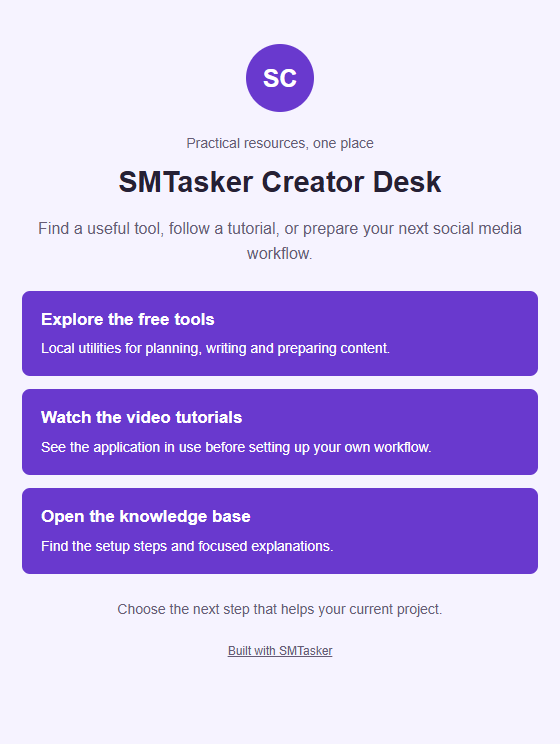
Actual HTML example. The builder creates the file; you provide its hosting and public URL.
Build the collection around one visitor
Choose the destinations. Put the best next step first.
Keep up to twelve links, preview their order and save a page you control. Choosing a platform does not publish the page or edit a social profile.
Your page and destinations
Local page preview
Preview links do not navigate. The downloaded HTML has real links. URL syntax is checked, not destination availability or safety.
Your file, not a hosted link service. Downloaded HTML contains all authored text and links, with local styles and no scripts, trackers or remote fonts. Host it on your own site, then use its public URL wherever your account provides a suitable website field. It is not a WordPress Custom HTML block.
The project, notes and PDF attachment include every authored field and destination. Review URLs for private tokens before sharing. No destination is fetched, and no account is connected. There is no autosave; ordinary site assets still load. PDF pages are rasterized, with complete project and review JSON attached.
How the page is built
Name the next steps. Keep the file. Publish it yourself.
An intentional collection
Give each HTTPS destination a clear name and optional explanation, then arrange the order around the visitor’s current task.
A real, portable page
The HTML contains the complete layout and styles. There are no scripts, remote fonts, images or private services to connect.
A deliberate handoff
Keep the editable JSON and review inventory. Upload the HTML to your own hosting and test the final public address.
Start with the visitor who has just arrived
A useful link page answers a small question: where should this person go next? Someone who has read an article may want the related worksheet. Someone who knows your business may want an appointment. Another visitor may simply need to understand what you do. Start by naming those intentions before collecting URLs. A page filled with everything you have ever published can be technically complete and still be difficult to use. Choose a primary action, then keep the supporting destinations that help people make an informed decision. The result should feel like a short set of directions, not an unexplained filing cabinet.
For a hypothetical example, imagine Fieldwork Desk, an independent learning project with a free starter worksheet, a new practical article, a workshop calendar, a paid workbook, and a contact page. These are invented details for planning, not a real customer story. Most current visitors arrive after seeing a worksheet demonstration, so the free worksheet belongs first. The article gives context, the calendar offers a live learning option, and the workbook serves people ready for a longer resource. Contact sits last because it supports questions without interrupting the main journey. This order reflects the current invitation, not a claim about measured conversion rates.
Write a short acceptance note outside the builder: a newcomer should recognize Fieldwork Desk, find the starter worksheet, and understand which options involve payment or registration. Use that note when deciding whether another link belongs. A press archive might matter to a journalist but distract the worksheet audience, so it can remain on the main website instead. The builder permits a compact collection, but available space is not an instruction to fill it. A single destination can be enough when there is only one genuine next step. Expand the collection when another action earns its place through a distinct visitor need.
Give the page a recognizable identity
Enter the public name in Page title. For the example, Fieldwork Desk is more useful than Welcome or My links because it confirms whose page has opened. Use Small label (optional) for a brief qualifier such as Practical learning resources. Monogram (optional) is text, not an image upload; FD provides a small identity cue without pretending to be a photographic logo. Leave optional fields empty when they add no useful information. If your social identity uses a different trading name from the website, explain that relationship in plain language so the visitor does not have to guess whether they followed the right link.
Use Bio to explain the offer and the next step in a few direct sentences. A hypothetical draft could say: Start with the free worksheet, read the latest field guide, or explore the next workshop. Paid resources are marked below. That introduction gives the collection a purpose without repeating every button. Footer (optional) can carry a concise public note, such as a review date or a support expectation, but it is not a private editorial area. Everything you author here can travel into public exports. For a separate profile text draft, the Bio Formatter handles text preparation rather than building this web page.
Preparing for records the context you have in mind. It does not connect an account, change native profile settings, or certify that a website field is available on a particular account. You can prepare the same kind of hosted page for different audiences while checking the actual placement separately. Keep the hosted page introduction independent enough to make sense when someone reaches it from an email or a shared message instead. Avoid writing You just saw my latest post when the page may remain available for months. Recognition should come from the name and offer, not from an assumption about how every visitor arrived.
Build a small collection with meaningful link names
Use Link to edit to select the entry you want to change. Enter a descriptive Link title, the HTTPS destination, and a Short description (optional) when the choice needs context. For Fieldwork Desk, Get the starter worksheet says more than Start here, while a description such as Free PDF with a completed example explains the format and commitment. Keep the title understandable without relying on the description. A person scanning links should still know which one opens a resource, which one leads to a calendar, and which one offers a product. Different destinations deserve different names, even when they belong to the same project.
Add link creates another entry. Move up and Move down change its position, while Remove link deletes an entry you no longer want in the collection. Arrange the Fieldwork Desk example as worksheet, article, calendar, workbook, then contact. The first two links fulfill the current public invitation before introducing a paid option. If a workshop becomes the focus of a later announcement, move the calendar deliberately and revise the Bio to match. Selection in Link to edit only chooses the editing target. It does not mark that destination as featured, selected for export, private, or more important on the finished page.
The collection supports one to twelve links, and every included entry is public exported content. There is no inactive switch or hidden notes area. Do not park an unfinished client portal, staff document, or future offer in the list expecting it to remain invisible. Remove it from the public project and keep the planning note elsewhere. Ready exports require a title and HTTPS URL for every entry, so a blank last item is not silently ignored. Before export, read the list from top to bottom as a visitor would. If two buttons compete for the same action, combine the underlying destination or explain their different roles.
Review the destination, not just the visible label
Copy the intended public address from its actual destination and paste it into HTTPS destination. The builder accepts HTTPS web links, not email commands, telephone commands, scripts, or embedded login credentials. For a contact option, use an existing HTTPS contact page rather than a mailto or tel address. Do not include passwords in a URL to make a private resource convenient. A link page should direct visitors to an appropriate public entrance, where the destination handles any necessary authentication. The builder checks URL structure locally; it does not fetch the page to establish that the resource exists or that you own it.
Review the normalized ASCII href as well as the friendly title. Browser URL processing can represent an internationalized domain differently from the name you originally pasted. Compare the host carefully with the address you intended, then inspect the path. A convincing title cannot make the wrong host correct. Check the actual destination in a separate browser tab yourself, including any redirects and the final page content. A successful format check is not a safety rating, an ownership check, or evidence that a download still works. If a colleague supplied the address, ask them to confirm the public version rather than accepting a familiar looking label.
Query parameters and fragments remain part of the link. A fragment may take the reader to a particular section, while campaign parameters may be useful to a separate analytics setup you already operate. Add them deliberately and inspect the complete address for personal details, internal tokens, or obsolete campaign names. The UTM Link Builder can help prepare campaign parameters, but this page builder adds no attribution automatically. It also supplies no hosted click dashboard. The exported links use a no-referrer approach, so do not design your reporting around an assumption that every destination will receive a referring page address.
Choose a style that leaves the choices readable
Try Violet, Forest, Rose, Ocean, and Ink against the words you have actually written. A palette is a fixed design choice, not a custom color editor or a replacement for reviewing the page. Choose Solid or Outline buttons according to which presentation makes the collection easiest to scan. Keep the visual decision subordinate to the names and order of the destinations. For Fieldwork Desk, a quiet palette and clear worksheet title support the practical offer. Changing colors cannot resolve a vague button or an unexplained paid resource. Make those content decisions first, then choose the treatment that keeps them legible.
The live preview updates as you edit, but its link blocks do not navigate. This lets you inspect the draft without accidentally leaving the workbench. It is a local page preview, not an Instagram, Facebook, or other native profile simulator. Read the entire preview, including the lower links and footer, and watch how longer titles wrap. Shorten unnecessary wording when it makes a choice difficult to scan, but keep words that distinguish one destination from another. A two line title with a clear meaning is preferable to a shorter label that leaves the reader unsure which resource they will receive.
Review the finished HTML at a narrow width and with browser zoom, not only in the editing preview. Follow the links with a keyboard and confirm that their names still make sense when read without surrounding marketing copy. Meaningful link text helps people decide whether to follow a destination, including people using assistive technology. Avoid decorative symbols as the only indication of a booking, purchase, or document. The builder uses system fonts and does not offer uploaded images or custom CSS. Those boundaries keep the page focused, but they do not replace checking your authored language or the accessibility of the destinations you link to.
Save the editable draft and prepare a useful handoff
Use Save project before leaving the page or starting a major revision. There is no autosave. The downloaded JSON preserves the authored fields, platform context, style, and links, including incomplete draft fields. That makes it suitable for pausing while you confirm a workshop address or approve a new description. Name the downloaded file clearly in your own storage so you can distinguish a working draft from an approved version. Do not assume that an open browser tab is a durable archive. Keep the saved project with the other materials for the page, and store earlier versions separately when their wording may matter later.
Open project restores a compatible JSON project. Review the page title and link order after opening it so you know which version is now being edited. Invalid JSON does not replace the current draft, but a successfully opened project is still a different authored state that deserves inspection. The project is not a secret workspace: its fields contain the same kinds of public text and destination addresses that can appear in the finished page. Avoid putting private reviewer comments in Bio, Footer, descriptions, or query strings. A saved draft may be incomplete without becoming confidential or protected from the people who receive the file.
For a ready collection, copied links, TXT, and CSV provide the complete ordered inventory. Use them when a reviewer needs to inspect wording and destinations without opening the builder. The styled PDF adds a page proof and publishing guidance, and it attaches the complete project JSON. That attachment includes all project fields, so review the whole project before sharing the report. The PDF pages are rasterized; TXT or CSV is a better companion when someone needs selectable text. Send the format that fits the review task, while retaining the JSON for future edits. None of these review files supplies a hosted public page address.
Download the page and agree who will publish it
Download HTML produces a complete standalone index.html, not a fragment to paste into a WordPress block. The document contains the authored public text, all ordered links, embedded styles, and system font choices. It does not need a companion image folder or an external font service. Open the downloaded file locally to inspect the actual page, then check each link manually. That local file is a proof, not a shareable website address for other people. Sending someone a path from your computer will not publish it. A public URL requires a separate hosting step under your control or handled by a person you authorize.
For Fieldwork Desk, suppose an existing website maintainer agrees to publish the file in a dedicated resources directory. This is a hypothetical handoff, not a hosting feature of the builder. Agree on the public path, who can replace index.html, and how an earlier version can be restored. Ask the maintainer to preserve the complete document rather than copying its contents into an unrelated page editor. Use an HTTPS address for the hosted page, and keep that address stable when possible. The practical work is choosing the right upload location and checking the served result, not merely confirming that a download button produced a file.
After upload, open the public URL in a fresh browser session and compare it with the approved project. Check the title, introduction, every destination, and the footer. If an old version appears, investigate the hosting or cache behavior with the maintainer before announcing the update. Only then add the public URL to an appropriate website field that the actual account and surface offer. Platform preparation in this tool does not grant that field or edit it for you. You can also share the hosted address through other suitable channels, but first confirm that it works for someone who is not signed into your hosting account.
Keep the public promise aligned with the current page
Treat publication as the beginning of a small maintenance routine. When Fieldwork Desk promotes a new worksheet, review the first link, its description, and the Bio together. When a workshop closes, remove the expired registration destination or replace it with an honest next option. A stable public address is useful only while its contents remain accurate. Keep an external review note with the published date, approved project filename, and person responsible for the next check. Do not place internal ownership notes in the public Footer unless they are genuinely useful to visitors. The page itself has no automatic expiry process or destination monitoring.
Choose a review trigger that matches how the project changes. A new announcement, an offer ending, or a revised resource is more actionable than vaguely promising to check links someday. Ask one person unfamiliar with the latest edit to follow the advertised journey from the published social placement to the hosted page and then to the intended resource. Record what they actually observed, not an invented improvement percentage. If you already use analytics at a destination, evaluate those observations within that system and its limits. This builder does not measure visits, identify people, or tell you which link arrangement performs best.
Once the page is dependable, consider the recurring account work around it separately. SMTasker offers supported account automation across nine platforms, while this free builder remains a local authoring tool. Explore getting started with SMTasker when ongoing account routines need their own organized setup. The connection is operational: keep the public invitation, account activity, and destination review consistent. The downloaded HTML and project JSON do not automatically import into SMTasker, receive hosting there, or update a native profile. A clear division of responsibility lets each part of the workflow do a useful job without making the page promise capabilities it does not have.
Choose the visitor journey
Platform and page-building guides
Explore a different use case, then return with a better reason for every link on your page.
Instagram Studio Orders
Give a studio visitor clear routes to the current collection, helpful details and the next step.
Read the guideTikTok Bio Page
Arrange a short-video resource page around the question that brought someone to your profile.
Read the guideYouTube Link Page
Connect a channel introduction to the useful resources that follow the video, without losing context.
Read the guideFacebook Volunteer Event
Make the next volunteer action easier to find than last season’s announcement.
Read the guideLinkedIn Consulting Resources
Turn profile interest into a relevant case study, working guide or clear contact destination.
Read the guideThreads
Support a conversation with a small set of resources that still make sense after the post scrolls away.
Read the guideX (Twitter)
Bring a podcast announcement, episode notes and listener next steps into one considered collection.
Read the guideSnapchat Link Page
Plan a shareable destination for the places where your account actually provides a usable website link.
Read the guideOffer a clear profile resource collection that explains each destination instead of repeating a list of vague buttons.
Read the guidePage Examples
Compare different visitor journeys and learn why the first link changes with the purpose of the page.
Read the guidePublish Your Page
Move from a downloaded index.html to your own public URL, with a concrete testing and update checklist.
Read the guideQuestions about building your link page
Do I receive a public link when I download HTML?
No. You receive a complete index.html file. Upload it to your own suitable static hosting, or hand it to your website maintainer, then check the public HTTPS address before sharing it.
Can I save a draft with unfinished links?
Yes. Save project preserves incomplete drafts in JSON. Ready HTML and review exports require a page title plus a title and HTTPS URL for every link. Incomplete entries are not silently omitted.
Does the builder check whether a destination is safe?
No. It checks URL structure and shows the normalized ASCII href for review. It does not fetch destinations, verify ownership, test availability, or provide a trust rating. Inspect each destination yourself.
Can I hide a link or add private notes?
No. Every included link and authored field is public export content. Remove anything that should not be shared, including private information inside URLs. The PDF also attaches the complete project JSON.
Does Preparing for connect my social account?
No. It records a preparation context. You publish the HTML separately and add the resulting URL only where your actual account and surface offer a suitable website field. No universal profile placement is promised.
Keep the next step dependable
Connect the invitation to a maintained destination
Use the builder for your public page, then consider SMTasker for ongoing supported account routines. HTML hosting and native profile edits remain separate tasks.