A fresh credential for each account
Strong Password & Passphrase Generator
Create a random password for your password manager, or a random-word passphrase for a login you need to type. Choose the format that fits the account, without entering an existing password.
Different formats. The same need for uniqueness.
Choose a result you can actually use
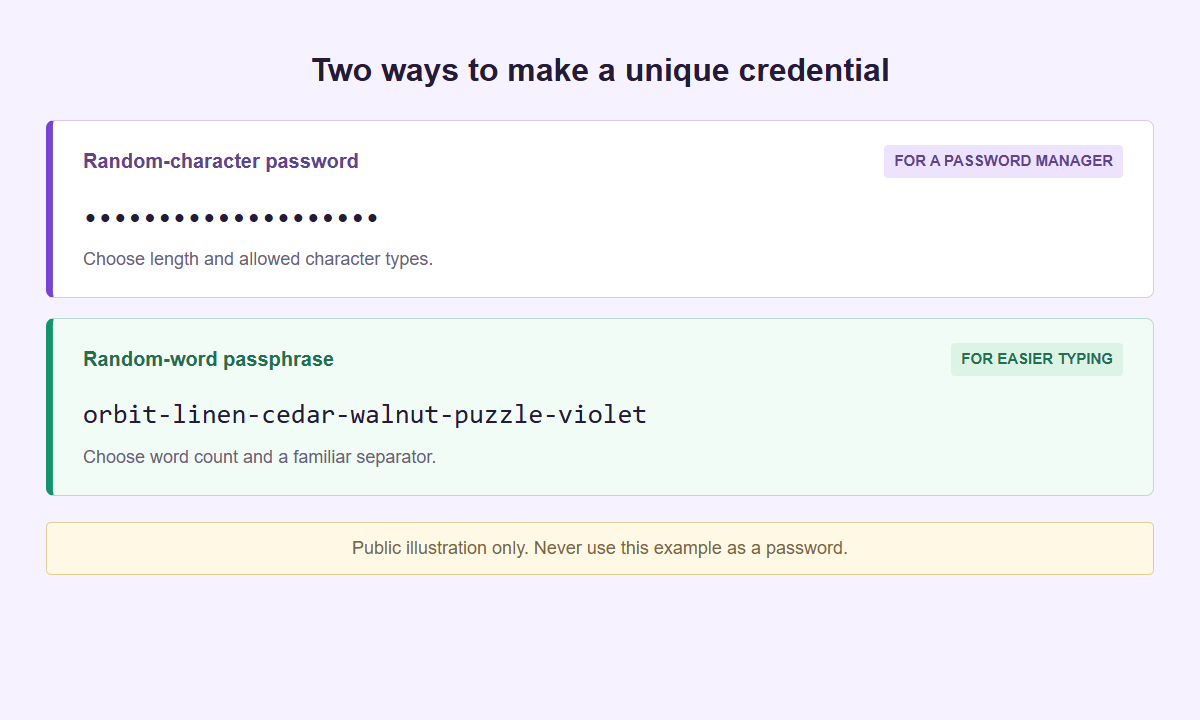
Illustrations only, never use these examples. Generate your own result below and save it before leaving the page.
Set the format. Generate once. Save it safely.
Create a password or passphrase
Match the destination’s length and character requirements. Every generation makes a new result; it does not update or test an account.
The generated credential stays inside the isolated panel and is not sent to WordPress. Normal website traffic is separate. Open the generator on its own if needed. A hostile replacement page, browser extension or compromised device is outside this boundary.
Use real browser randomness
Characters and word positions come from the browser’s cryptographic random source. Biased leftovers are rejected rather than folded into an index.
Choose a usable format
Set 12–128 characters, or draw 4–10 words independently from the EFF long list. A fixed separator makes a phrase easier to type, not more random.
Keep one login separate
Save the exact result in your password manager before switching tabs. Add the second factor through the account’s own security settings when available.
Choose a password that the destination accepts
Password mode offers 12 to 128 characters and starts at 20. Available classes are lowercase letters, uppercase letters, digits, and symbols. The symbol set is exactly !@#$%^&*()-_=+[]{}:,.?. Select the classes the destination permits; do not assume every service accepts every symbol or the full length range. Check its published limits before generating so you can preserve the result unchanged rather than trim it to fit.
Require each selected class starts enabled. It ensures that every class you select appears at least once; turning it off allows draws from the combined pool without that condition. This is a compatibility choice, not proof of security. The optional lookalike exclusion removes Il1O0o: uppercase I, lowercase l, digit one, uppercase O, digit zero, and lowercase o. It can reduce transcription errors but also reduces the available pool. Keep enough length to suit your use.
At least one character class must remain selected. If a destination rejects a character or length, adjust the controls and generate a fresh candidate instead of adding a predictable ending. The 12-character lower limit is an available setting, not a recommendation for every account. Keep the 20-character starting length or choose longer where supported. Use a separate generated value for each account, even when several accounts belong to the same brand or person.
Use random words when typing matters
Passphrase mode offers four to ten words and starts at six. Each word is drawn independently from the bundled EFF long word list of 7,776 entries. Repeated words are allowed: a word already selected remains eligible for the next position. That is part of the distribution, not a malfunction. The generator does not assemble quotations, personalized slogans, or sentences based on your profile, and it does not ask an AI model to invent a secret.
Choose a hyphen, space, or period between words. A separator improves readability but, when fixed by your setting, adds no random choices of its own. Count the complete phrase, including separators, against the destination limit. Six words have a variable character length because individual words differ in length. If spaces are refused, select an accepted separator and generate again. Do not remove words until a phrase fits and keep treating it as the original six-word result.
Use words when you expect to type the credential on another device or enter it without autofill. Use a character password when compactness matters more. Neither mode makes reuse safe. Avoid replacing an unfamiliar generated word with your business name, choosing words from a campaign title, or rearranging the result into a familiar saying. Those edits substitute your own selection process for independent random draws, so the original entropy explanation no longer describes the edited phrase.
Understand randomness without a crack-time promise
Generation uses the browser’s native Web Crypto crypto.getRandomValues with rejection sampling, not Math.random. Rejection sampling discards random values that cannot map evenly to the available choices, avoiding the bias from simply taking a remainder over an uneven range. If the required browser randomness is unavailable, generation must stop rather than quietly use a weaker substitute. Randomness is a browser capability here, not a remote service or an AI prediction.
Theoretical entropy describes the configured generation distribution, not how impressive one result looks. For independent uniform draws from a pool of A characters with no class-presence condition, length L gives L times log2(A) bits. Requiring every selected class changes the allowed set, so that unrestricted formula must not be presented as its exact entropy. Excluding lookalikes also changes the pool. These distinctions matter when comparing settings rather than judging a string by visible punctuation.
For independent draws from 7,776 words, the word-selection entropy is the word count times log2(7,776): approximately 77.5 bits at six words. Repeats remain included in that calculation. This is not a forecast of years to crack, a certificate for an account, or a strength score for something you already use. Attack conditions, service-side password storage, phishing, and device compromise are different questions. This tool accepts no old password and performs no strength check or breach-database lookup.
Generate, reveal only when needed, and copy first
Generate creates a result that starts masked. Reveal makes it readable; Hide masks it again without ending the working session. Masking reduces casual visibility but does not encrypt the value against software controlling the browser. Copy deliberately transfers the secret to your device clipboard. Check the copy outcome before leaving, then paste only into the intended destination or your chosen password manager. Do not use a chat message or an ordinary notes document as an intermediate holding area.
Clear removes the working secret from the generator. The same cleanup applies when the page becomes hidden and on pagehide, pageshow, and freeze events. All secret-bearing DOM values are cleared, including masked and revealed representations. Returning to a tab or restoring a page does not restore the result. Copy before switching tabs or apps; merely hiding the visible text is not a way to keep a candidate waiting for later.
Neither Clear nor lifecycle cleanup erases a value already copied to the clipboard. Clipboard history, synchronization, and device-management policies may retain it independently. Handle those facilities according to your environment, especially on a shared machine. If you lose an unused candidate, generate another. If you already submitted it to an account but did not save it, use that service’s authorized reset process. This generator has no saved history from which to retrieve it.
Know where local generation stops
The generator runs in a separate local document delivered over HTTP(S), inside a sandbox with an opaque origin. Its generation operation makes no network requests and uses no persistent storage. Generated secrets are not sent to the surrounding page, placed in the address, or kept as a generator history. Loading the document is still a web request, and the surrounding WordPress page can load other resources. Local generation does not mean zero network activity across the whole website.
Isolation has a specific boundary. It limits the surrounding page’s direct access to the genuine sandbox document; it does not stop an untrusted parent page from replacing the interface. Browser extensions, operating-system software, screen capture, and compromised devices can also act outside that boundary. No browser tool can promise complete security or guaranteed erasure of every memory copy. Prefer a device and website experience you trust, and do not generate real credentials while sharing your screen.
There is no vault, account connection, login-change action, PDF export, or recovery archive here. SMTasker is not storing or managing these passwords for you. Generating a candidate does not change anything at the destination until you deliberately complete its own workflow. The password reuse and recovery guide covers choosing a replacement order, preserving access, and checking the account after a reset without bringing existing credentials into this tool.
Protect the account beyond its password
For social work, inventory Instagram, Threads, TikTok, YouTube, Facebook, LinkedIn, X, Snapchat, and Reddit alongside the email accounts that recover them. Some profiles share a login provider; others have separate credentials. Map that relationship instead of assuming nine profile names always mean nine independent passwords. Use delegated access where available rather than circulating one shared secret. A random password cannot remove former staff sessions, correct account ownership, or verify recovery contacts.
NIST SP 800-63B-4 sets requirements for systems conforming to its scope, including a 15-character minimum for single-factor passwords and no imposed character-composition rules. It does not make those requirements universal law for every site owner. This generator’s class controls help accommodate destination policies; they are not a claim that NIST requires symbols. CISA’s consumer guidance emphasizes long, random, unique passwords. Neither publication turns generation alone into a complete account-protection plan.
Where supported, consider passkeys or an additional authentication factor and prepare recovery before relying on a new setup. Read passwords, passkeys, and 2FA to distinguish their roles. The separate 2FA authenticator calculates supported TOTP codes; it does not enroll this password or connect an account automatically. Finish any password change at the trusted provider, save the accepted credential in your chosen manager, and clear the generator when done.
Choose the problem you are solving
Password and account-access guides
Find practical help with memorable phrases, service compatibility, password managers and team access. Each guide starts from a different account-management task.
Social Account Passwords
Plan an account-by-account password update without confusing profiles, recovery routes, or unfinished changes.
Read the guideMemorable Passphrases
Keep randomly selected words intact, build a private memory cue, and choose a separator that your destination actually accepts.
Read the guideLength and Randomness
Understand character pools, independent word draws, composition constraints, and the limits of theoretical entropy figures.
Read the guideCharacter Compatibility
Match length, character classes, symbols, and passphrase separators to the destination without weakening a result through ad hoc edits.
Read the guidePassword Manager Workflow
Move a generated credential into the correct saved entry, handle interruptions, and verify the value that actually became active.
Read the guideTeam Social Account Access
Separate account ownership from daily tasks, plan controlled credential exceptions, and make staff handoffs testable.
Read the guidePassword Reuse & Recovery
Prioritize reused credentials, protect recovery routes, and finish a password reset without losing track of account access.
Read the guidePasswords, Passkeys & 2FA
Understand random passwords, site-bound passkeys, authenticator codes, and the recovery dependencies behind each choice.
Read the guideQuestions about generating passwords
Can I check whether my existing password is strong or leaked?
No. There is no existing-password input, strength checker, or breach-database query. Generate a new independent value instead of submitting a current secret.
Why can a passphrase contain the same word twice?
Every position is an independent draw from all 7,776 words. Repeats are allowed and included in the theoretical word-selection entropy.
Will Generate change my account password?
No. It creates a candidate only. You must complete the destination service’s own authorized password-change or reset workflow separately.
Why did the result disappear when I changed tabs?
Hidden-page and lifecycle cleanup clears working secrets. Copy before leaving. Returning does not restore a result, and cleanup does not clear the device clipboard.
Does the entropy number estimate a cracking time?
No. It describes theoretical choices in the generated distribution only, not an existing password, attack speed, account safety, or a guaranteed lifetime.
One account, one new value
Make the next password independent
Return to the generator, choose accepted settings, and clear the temporary result after handling it.