Originally published April 8, 2026. Substantially updated October 21, 2026.
Twitter advanced search operators are short instructions that help refine searches on X. They can narrow a phrase, identify an account, exclude an unwanted meaning, or focus a search on a period. For marketers, the useful outcome is a more relevant set of public conversations to read and investigate, rather than a large collection of loosely related posts.
This guide provides practical query examples and a method for improving them. X’s search interfaces and available controls can differ, so treat the examples as starting points to check in your account. Search results are also subject to visibility, access, and retrieval limitations. A query can help find evidence without proving that every relevant post has been returned.

Start with the question you want to answer
Write down the research task before choosing operators. You might want to find an old announcement, understand recurring setup complaints, or collect questions about a product category. These tasks need different queries. Searching a broad brand name and reading the first results can easily mix customer experiences with news, promotions, jokes, and unrelated uses of the same word.
Identify likely vocabulary from a few relevant examples. Customers may describe a problem differently from the product team, and a campaign name may appear with or without a hashtag. Keep a short list of synonyms and ambiguous terms. This gives you a reason for each inclusion or exclusion instead of assembling a complicated query at random.
Choose a known reference post where possible. If you are searching for an announcement you remember, verify the account and approximate period first. That reference helps you recognize whether the search conditions are sensible. It also helps distinguish an over-restrictive query from a mistaken assumption about where the post was published.
Use the advanced-search form when it is clearer
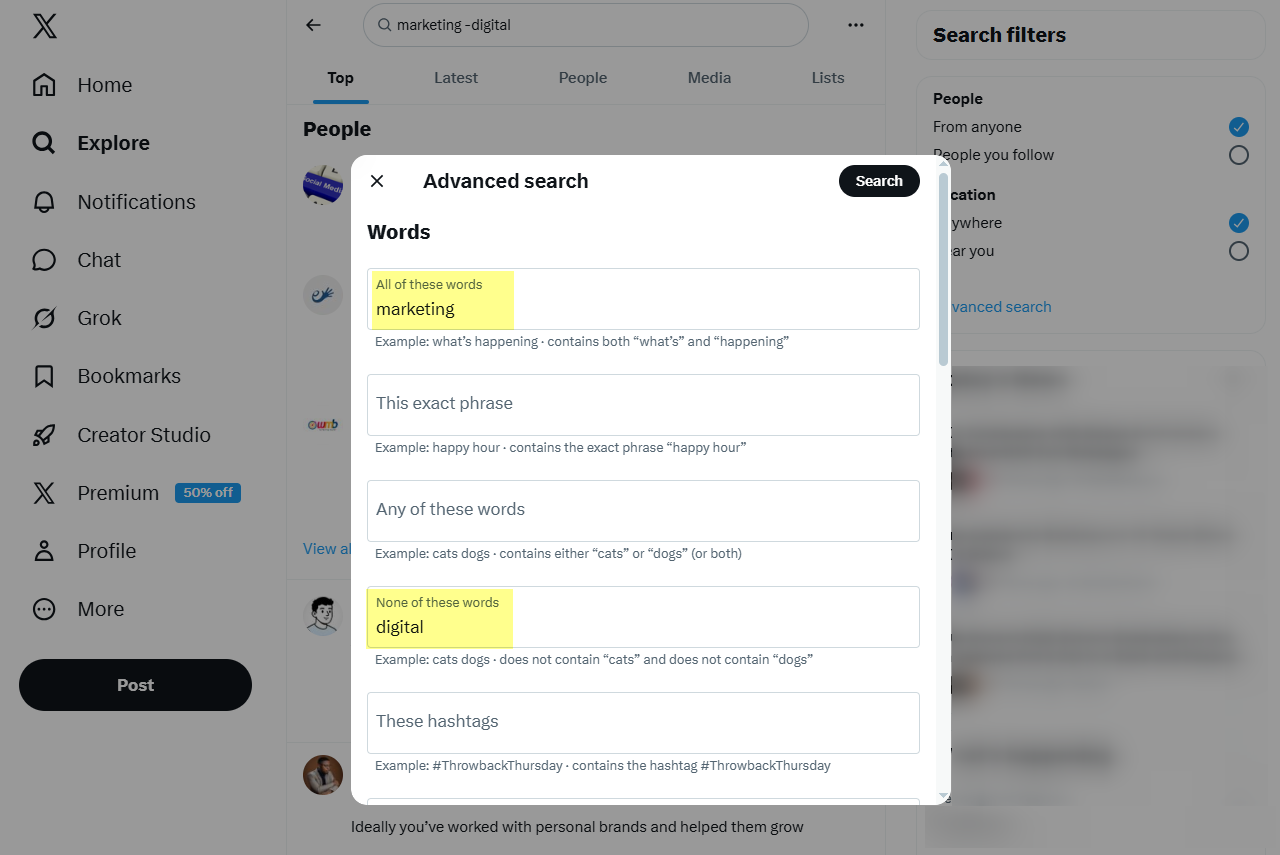
X’s advanced-search guidance describes fields for words, accounts, places, and dates and says advanced search is available while logged in. Start from a search on X’s website and use the advanced-search option available in the results interface. You can also enter the conditions directly when you understand the syntax.
The form is useful when several conditions would be easier to review separately. Confirm the account handles, phrase, excluded words, and date period before running it. If a particular control is missing from your current surface, check the web interface and the current help guidance rather than assuming that every mobile app exposes the same arrangement.
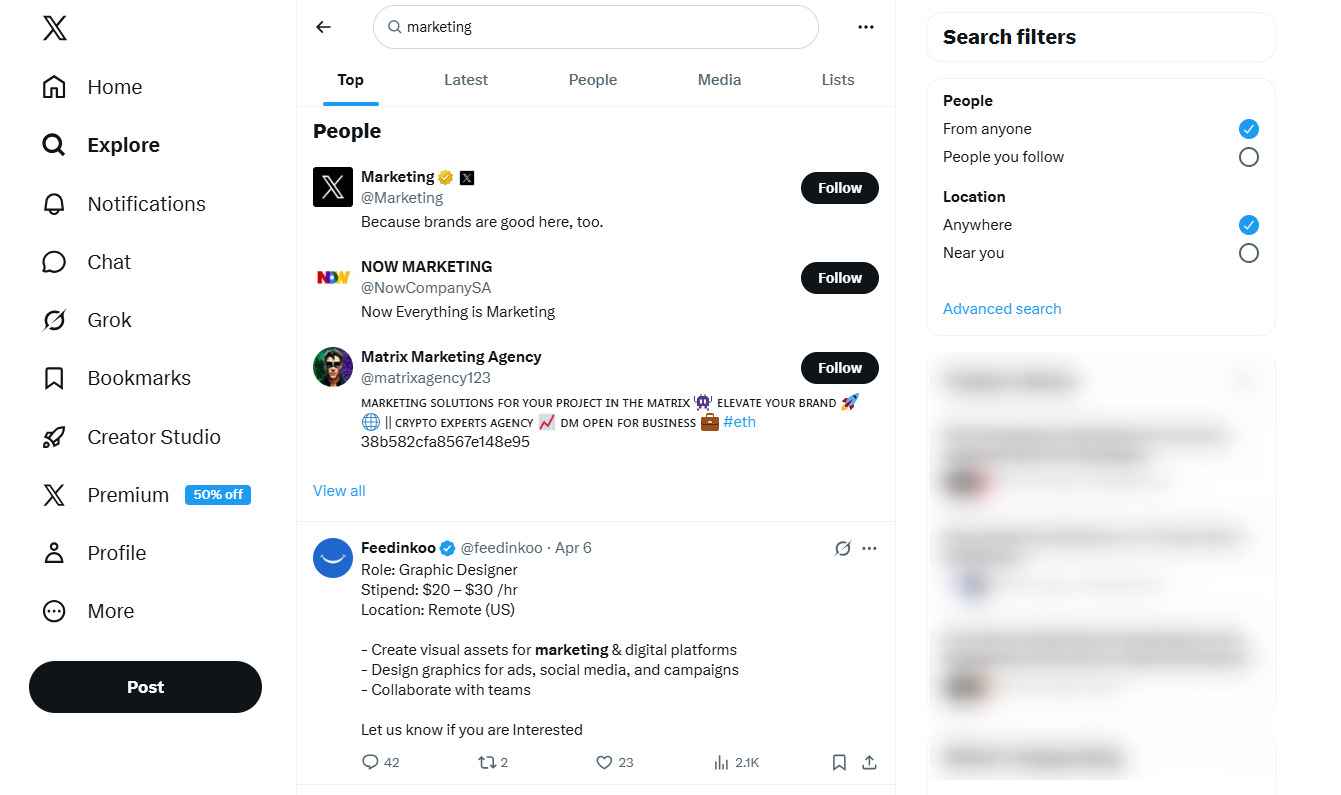
The screenshots retained in this article show search concepts and an earlier interface. Use them for orientation while following the controls currently displayed on your account. An older button position is not evidence that a feature has disappeared, and finding a similarly named control does not guarantee identical filtering behavior.
Find a phrase and remove a misleading meaning
Quotation marks group an exact phrase. For example, "social media scheduling" focuses on that wording. Use a phrase when the sequence matters, but remember that it can miss equivalent descriptions such as planning social posts. Begin with a few alternative phrasings if the task is to understand a topic broadly.
Use uppercase OR to express alternatives, as in "content planning" OR "content calendar". Add a minus sign before an unwanted term, such as jaguar -car, when a word has several meanings. Inspect the result before adding more exclusions, since an apparently irrelevant term can also appear in a useful comparison.
Avoid overloading the first query. Try the phrase, read a small sample, and add one condition that addresses a visible problem. This makes it possible to explain why the result changed. A query with many exclusions can appear impressively precise while silently discarding the evidence you needed to understand the audience.
Search from, to, and around specific accounts
Use from:NASA moon as an example of combining an author with a topic. Replace the example handle with the account relevant to your research. Verify the handle directly, particularly for brands with regional profiles, renamed accounts, or similar-looking unofficial accounts. The account you remember may not be the author of the original post.
The to: condition is intended for replies directed to an account. A query such as to:NASA moon therefore answers a different question from posts authored by that account. A plain mention such as @NASA moon provides another route. Use the distinction to separate a brand’s announcements from conversations involving it.
Read the surrounding thread before interpreting a reply. A short message may refer to an image, an earlier answer, or a different product version. Save the relevant post URL and enough context to explain its meaning. A search snippet alone can turn a valid observation into an incorrect conclusion about what the author experienced.
Use hashtags and language with a clear purpose
A hashtag query such as #ContentMarketing can identify posts using that label. It will not capture every conversation about content marketing, because many relevant posts omit the hashtag. Combine hashtag research with ordinary-language queries when the aim is to understand a subject rather than inspect a specific campaign label.
Use the available language controls when language is important to the task. Review some results manually, especially for short, multilingual, or code-heavy posts where language detection may be less straightforward. A language setting helps refine retrieval; it does not establish the author’s location, market, identity, or complete audience profile.
Keep your vocabulary appropriate to the audience. A support team investigating a regional issue may need local product names and common abbreviations. A brand-research project may need separate queries for several languages. Document those choices so someone reviewing the findings understands which conversations the process was designed to find.
Narrow the period without assuming perfect completeness
X documents date conditions including since: and until: in its advanced X Pro reference. An example query is from:NASA moon since:2026-04-01 until:2026-05-01. Start with a broad enough period to locate the event, then refine it when you have confirmed the relevant activity.
Inspect posts near the date boundaries and record the period and interface used. Avoid assuming that a query label establishes the timezone or exact boundary behavior required for a formal report. If one day is critical, check the relevant post timestamps and broaden the window where necessary to avoid accidentally excluding the event.
Treat media and other specialized filters as interface-specific tools to verify. X’s references include media and reply-related filters, but older lists can contain legacy features. Use the live controls or current documentation for the surface you are using, and remove a filter if it hides a known relevant example without an understandable reason.
Build a practical brand-research query
Consider a hypothetical software business looking for questions about a setup process. It begins with the product name, inspects how people describe the issue, and adds a relevant phrase such as connection failed. It tests an account-specific query separately to distinguish replies to the brand from broader discussion. These are research steps, not an automated lead-acquisition promise.
Keep the query and a short finding log together. Record the search date, conditions, relevant URLs, topic, and important limitations. Separate a directly described experience from your interpretation of its cause. Ten posts about a connection problem do not establish that all ten share the same technical fault or that the issue is widespread.
Diagnose weak results one condition at a time
If the result is empty, remove the most restrictive condition first. Check the handle, phrase spelling, time period, and whether the content is still publicly accessible. A protected, deleted, or otherwise unavailable post cannot be assumed to appear because the syntax is correct. An empty search is an observation about that query, not proof that nobody discussed the subject.
If results are noisy, identify the recurring source of irrelevance before adjusting the query. It might be an ambiguous term, promotional repetition, or a period that is too broad. Keep examples of useful and unhelpful results so the next change is grounded in what you saw. Broadening and narrowing should serve the research question.
Keep a query record another researcher can use
Save the exact query text along with the research question, account context, date, and relevant result view. Add a short explanation of why each condition exists. For example, an exclusion might remove a different product with the same name, while the date window might correspond to a launch. This makes the record useful when someone needs to repeat or revise the investigation.
Include one known relevant result and a note about obvious gaps. If a later search behaves differently, the reference helps the team distinguish a changed result set from a changed question. Keep the findings proportional to that sample. A repeatable query supports a reviewable process, but it does not turn a platform search into a complete census of public opinion.
Turn findings into a relevant next action
Use the collected questions to improve documentation, create a focused explanation, or identify a public issue the support team should investigate. When replying, read the context and disclose your relationship to the business where relevant. Finding a conversation does not automatically make it appropriate to insert a pitch or send repeated private messages.
The SMTasker X hub explains the product’s supported X actions. Keep research, action configuration, and outcome measurement distinct. A query can help you understand a subject, while an account workflow still needs suitable inputs, platform-appropriate behavior, and review of what actually happened.
Good advanced search is an iterative research practice: define the question, choose a small set of conditions, inspect the result, and document the limits. Start with one query you can explain and improve. That produces more dependable insight than an elaborate operator string whose effects nobody on the team has checked.