The Activity Log: See What Your Automations Are Doing
A searchable, filterable feed of every action your automations take — the fastest way to confirm things are running or spot what went wrong.
The Activity Log (a tab on the Home page) is the running record of everything SMTasker does on your behalf — every follow, comment, publish, and every error. It’s the first place to look when you want to confirm an automation is working, or figure out why it isn’t.
Reading the log
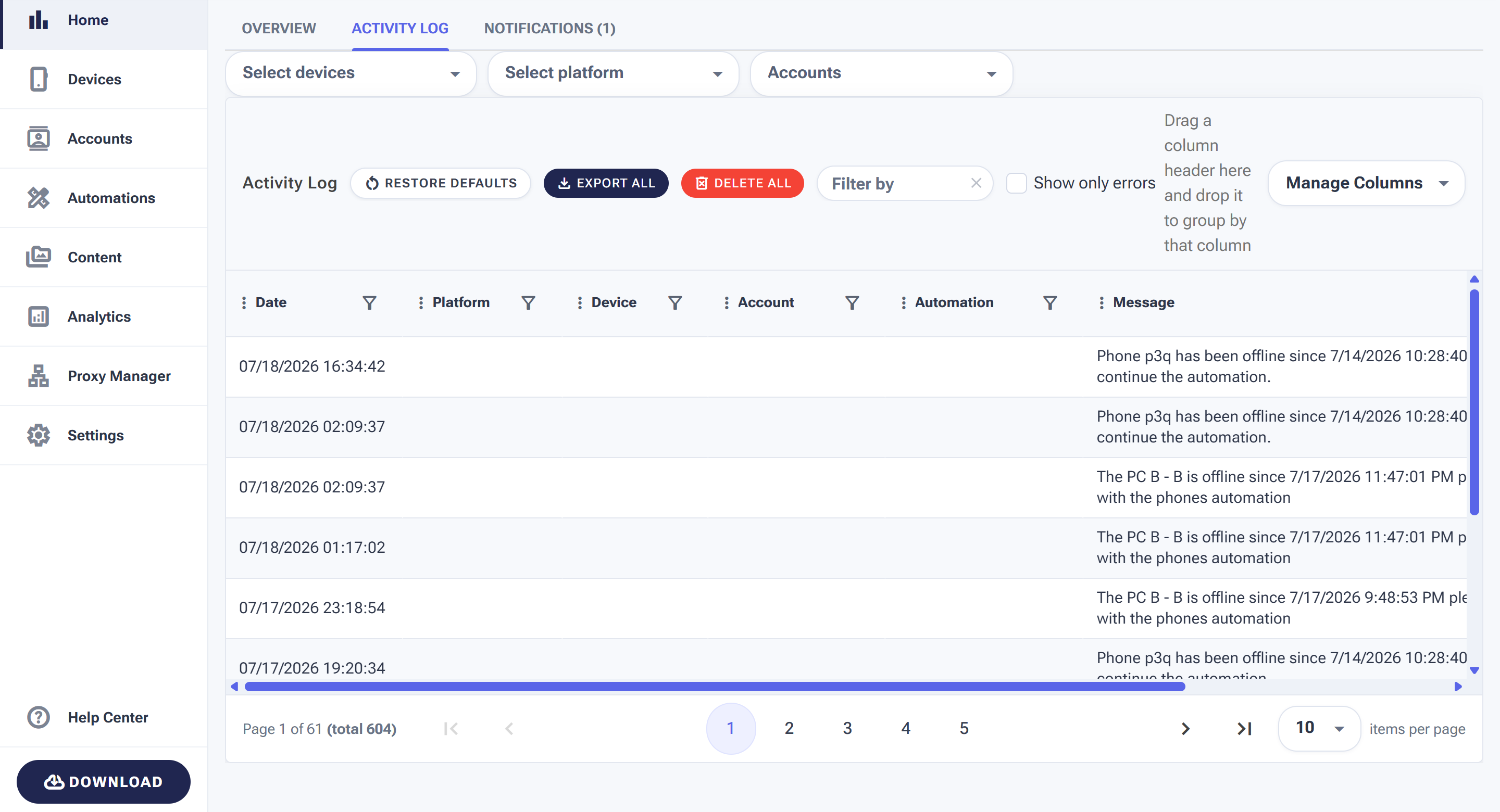
Each row is one event, newest first — with the device, account and automation it came from, and a plain-language message.
Each row is a single event with a Date, the Platform, Device, Account and Automation it came from, and a Message describing what happened.
The controls
- Select devices / Select platform / Accounts — narrow the log to one phone, network, or account.
- Show only errors — hide the routine noise and see just the problems.
- Filter by — free-text search across messages.
- Export All — download the log for your records.
- Delete All — clear the history (this can’t be undone).
- Manage Columns — show or hide columns to suit you.
The two-minute debugging workflow
When something feels off — an automation seems idle, results stopped — resist scrolling the full log. Do this instead:
- Tick Show only errors. Routine activity disappears; problems remain.
- If the errors point at one device, it’s a connection issue — go to Devices and get the phone back online.
- If they cluster on one account, it’s usually a login or restriction issue — check Show Restrictions.
- If they name one automation, open that tool — nine times out of ten it has no active source, or its device was reassigned.
Messages you’ll actually see
| Message pattern | What it means | Action |
|---|---|---|
| “Phone … has been offline since …” | The phone lost its USB/client connection; automations paused | Reconnect — everything resumes on its own |
| “The PC … is offline since …” | The computer running the local client is off or asleep | Wake it and check the local client is running |
| Successful action rows (follow, like, publish…) | Normal operation — the proof your setup works | Nothing; this is what “healthy” looks like |