Using the Proxy Manager
Add, verify and assign proxies so each account has its own clean IP — the page that keeps multi-account setups safe.
If you run more than a couple of accounts, proxies keep their footprints separate. The Proxy Manager is where you add proxies, check they work, and assign them to accounts. (For which proxy type to buy, see Which proxy type should you use.)
The proxy dashboard
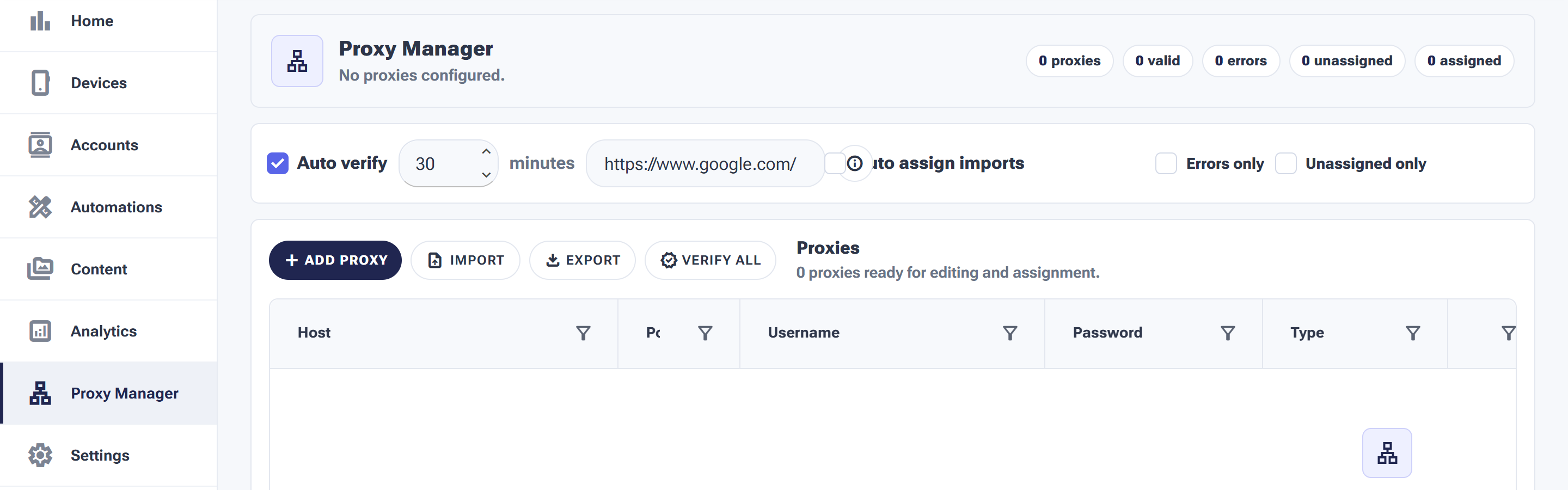
The stat pills up top show valid, error, unassigned and assigned proxies at a glance.
The pills across the top count your proxies — valid, errors, unassigned and assigned. Below them:
- Add Proxy — enter a proxy by hand (host, port, username, password, type).
- Import / Export — bring in a proxy list in bulk, or back yours up.
- Verify All — test every proxy so you know which ones actually work.
- Auto-verify — re-check proxies automatically on a schedule (e.g. every 30 minutes) against a test URL.
- Errors only / Unassigned only — filter the table to the proxies that need attention.
Adding proxies: single vs. bulk
For one or two proxies, Add Proxy and type the details: Host, Port, Username, Password and Type — exactly the fields your proxy provider emails you when you buy.
Buying in bulk? Don’t type twenty rows by hand. Import accepts a list straight from your provider’s dashboard export, and the Auto assign imports toggle can distribute the new proxies as they come in. Export does the reverse — handy as a backup before you prune dead proxies.
Verification: trust nothing until it’s green
A proxy that looked fine at purchase can die a week later — providers rotate IPs, subscriptions lapse, endpoints get blocked. That’s what the two verification layers are for:
- Verify All — a one-shot health check of every proxy in the table. Run it right after any import.
- Auto verify — the ongoing safety net: SMTasker re-tests your proxies on a schedule (the default is every 30 minutes, against a test URL) and moves failures into the errors count so you notice before your accounts do.
Assigning proxies to accounts
Adding a proxy does nothing on its own — it protects an account only once it’s assigned. The golden rule is one proxy per account: the whole point is that each account keeps its own consistent IP identity. Sharing one proxy across several accounts quietly rebuilds the exact linkage you bought proxies to avoid.
The unassigned pill is your to-do list: if it’s above zero while accounts run without a proxy, those accounts are exposed. The Unassigned only filter shows exactly which ones are sitting idle.
A weekly proxy routine
| Check | Where | If it’s off |
|---|---|---|
| errors = 0 | Stat pills | Filter Errors only, replace or remove the dead proxies |
| unassigned = 0 | Stat pills | Assign spares to new accounts, or keep them as verified standbys |
| Auto verify is on | Top bar | Re-enable it — silent proxy death is the failure mode you won’t notice |