The Like Tool: Drive Profile Visits Through Targeted Liking
A like is not just a like. When SM Tasker likes a post on your behalf, the account that posted it receives a notification — and a meaningful percentage of them…
Of all the tools in SM Tasker, Like is also the safest to run at meaningful volume. Platforms are far more tolerant of like activity than follow or comment activity — the action is lightweight, expected behavior on social media, and much harder to flag as manipulative. That makes it the ideal tool to run continuously in the background as the steady visibility layer of your automation stack, and the right tool to start with when warming up a new account before activating heavier tools.
Quick Setup Reference
- Go to Automations → select the account → click ADD AUTOMATION
- Select Like from the tool list
- Configure Settings and Sources before starting
- Click Start
Settings Explained
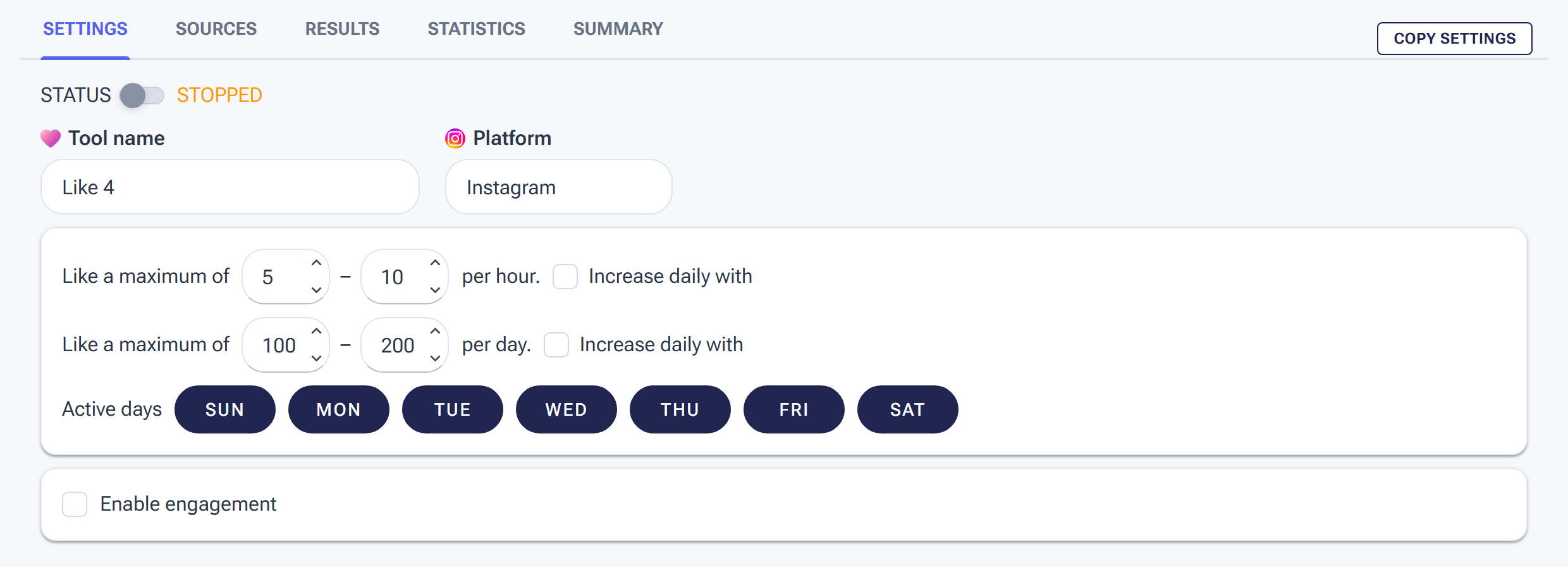
The Like tool’s Settings tab: set an hourly and a daily range so the pace varies naturally, and pick the days it runs.
Min/Max Per Hour
Set a range that creates natural variation — not a fixed number. Like activity is scrutinized less than Follow or Comment, so your ranges can be somewhat wider, but the principle of randomized volume still applies. A tool that likes exactly 15 posts every hour, every day, looks automated. A tool that likes anywhere from 8 to 18 posts per hour does not.
| Account Stage | Min/Hour | Max/Hour |
|---|---|---|
| Warm-up (days 1–14) | 3 | 8 |
| Conservative (post-warm-up) | 5 | 12 |
| Standard (established account) | 8 | 18 |
For the platform-specific daily caps that apply across all engagement tools, refer to the Daily Action Limits guide.
Min/Max Per Day
Your daily ceiling. Set this in proportion to your hourly range and your account’s active hours. If your hourly max is 18 and the account runs 10 active hours per day, a daily cap in the 100–150 range is realistic. Setting a daily cap far beyond what your hourly rate can organically produce in a day is a configuration inconsistency that creates unusual activity spikes.
Active Days
Toggle rest days as you would for any other tool — aim for 5–6 active days per week, with rest days staggered from your Follow and Unfollow tools. Because Like is lower-risk than Follow, some users run it 6 days a week while keeping heavier tools at 5. That’s a reasonable approach as long as the rest day pattern isn’t perfectly predictable.
Engage with Profile
Keep this ON. When enabled, SM Tasker visits the poster’s profile before liking the post — the same profile visit behavior it uses on every other tool. This is what generates the profile visit notification that drives traffic back to your account. Without it, SM Tasker likes posts directly from feeds without a profile visit, which removes the very mechanism that makes the Like tool a growth driver.
There is a meaningful difference between a like that comes with a profile visit and one that doesn’t. The profile visit sends its own notification on Instagram and shows up in the activity feed — it’s a second touchpoint on top of the like itself. Always leave Engage with Profile enabled on the Like tool.
Interaction Level
Controls how deeply SM Tasker engages during each profile visit:
- Just Browsing — visits the profile, likes the post, moves on. Use this during warm-up or when running Like at higher volumes where deep interaction per profile would consume too much of the daily action budget.
- Open to Interaction — visits the profile and may perform a secondary action (view a story, like an additional post) before completing the primary like. This is the recommended default for established accounts. The added depth makes each interaction look more genuine and tends to increase the profile visit-to-follow conversion rate.
- Want to Connect — deepest engagement per profile. Use sparingly with Like — it’s better suited for lower-volume, relationship-focused tools like Comment. At high like volumes, the extra actions per profile add up quickly and eat into your daily budget.
Source Strategy for the Like Tool
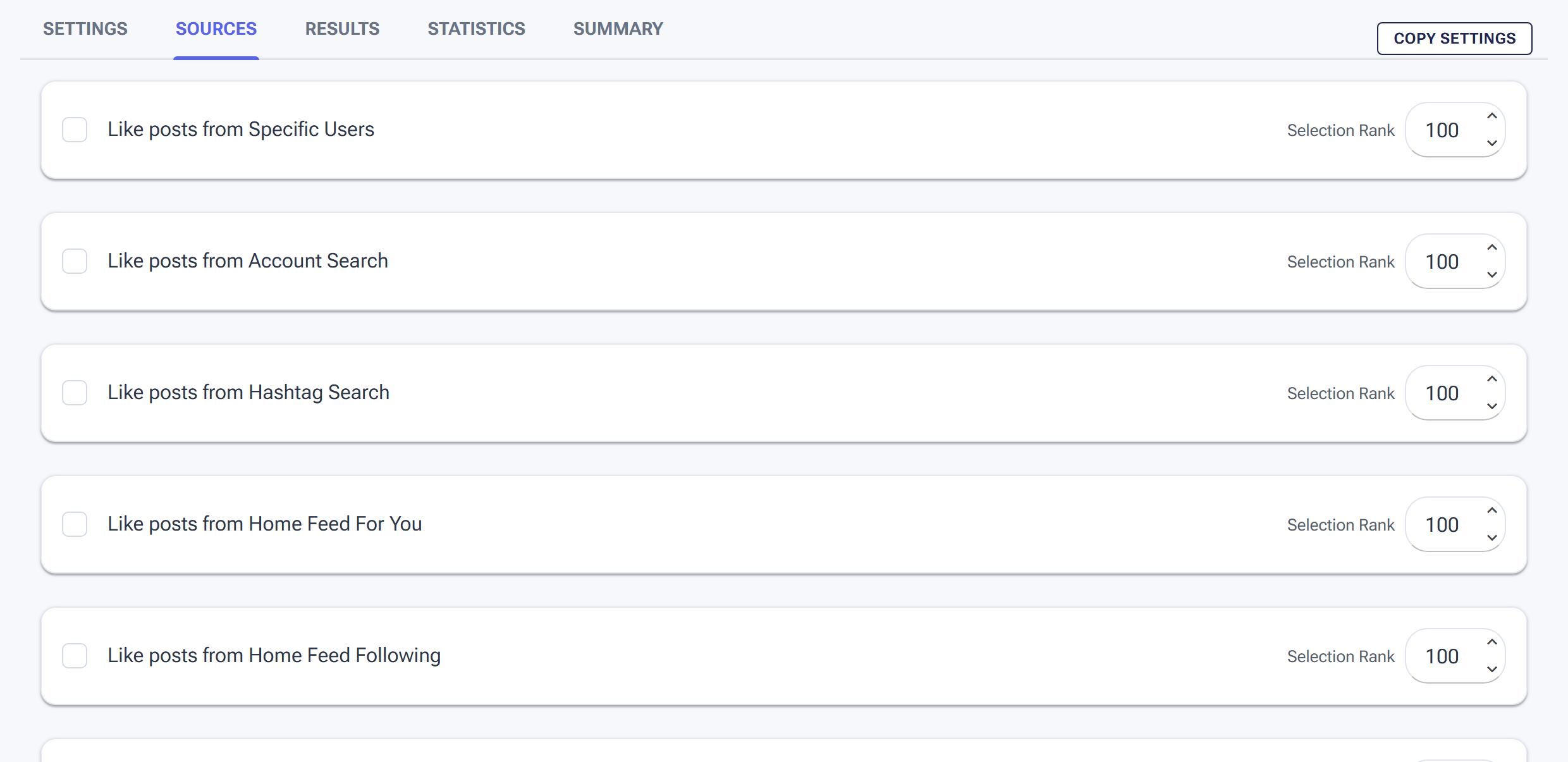
The Sources tab: tick where the Like tool finds posts, and use Selection Rank to weight how often each source is used.
Unlike the Follow tool, Like works best with content-based sources — you’re targeting posts, not accounts. The two sources that consistently produce the best results for Like are Hashtag Search and Explore Feed. For the complete source reference, see Sources & Targeting Mastery.
Primary Source: Hashtag Search
Hashtag Search finds posts published under specific hashtags and likes them on your behalf. This puts your account’s name in front of people who are actively participating in your niche community — the most relevant audience you can target with the Like tool.
How to build a high-converting hashtag list:
- Target mid-range hashtags — aim for tags with 50K to 2M posts. Tags below 10K are too small to generate consistent volume. Tags above 5M are so broad that the audience quality becomes unpredictable.
-
Mix specificity levels — combine highly specific niche tags (
#veganmealprep, ~300K posts) with broader category tags (#veganfood, ~1.5M posts). The specific tags reach your most targeted audience; the broader ones maintain volume when the specific ones run low. - Build a list of 30–50 hashtags — assign them to a List in Content > Lists, then connect that list as your Hashtag Search source. Use the Delayed Until feature on each hashtag to space out how frequently SM Tasker revisits the same tag, keeping the interaction pattern varied.
- Rotate monthly — retire hashtags that have been exhausted or that aren’t producing profile visits. Add fresh, seasonal, or trending tags in your niche.
Recommended Selection Rank: 150–200. This is your primary driver for the Like tool.
Secondary Source: Explore Feed
Explore Feed pulls from the platform’s algorithm-curated discovery page, which is personalized to each account based on its activity history. As an account builds a history of liking niche-relevant content, its Explore Feed becomes increasingly niche-specific — which makes this source more valuable over time, not less.
Use Explore Feed as a supplementary source at a lower rank (75–100) to add algorithm-curated variety to your hashtag targeting. It prevents the tool from becoming over-reliant on a single pool of content and introduces fresh accounts that your hashtag list may not be surfacing.
Optional Third Source: Account Search
If your niche has strong keyword signals in account bios (e.g., “fitness coach,” “crypto trader,” “interior designer”), Account Search can find content from those accounts and like it. Use this at a low rank (50–75) as a background source to round out your targeting mix when Hashtag Search and Explore Feed are running low.
Platform-Specific Notes
Instagram’s like limits are the most generous of the three platforms — it’s an action Instagram has always encouraged as a core engagement behavior. That said, pattern detection still applies. Running Like at high volume on a very narrow set of hashtags (fewer than 10) creates a repetitive signal. Keep your hashtag list diverse and rotate regularly.
One Instagram-specific behavior worth knowing: when SM Tasker visits a profile and likes a post with Engage with Profile enabled, the account owner may see both a “liked your post” notification and a profile view in their activity. That double touchpoint is one of the reasons Like + Engage with Profile consistently outperforms Like without it for driving follow-backs.
TikTok
On TikTok, a like lands differently than on Instagram. TikTok’s notification system highlights likes prominently, and because TikTok users are accustomed to high-engagement interaction, the bar for a like to prompt a profile visit is slightly lower. This makes the Like tool particularly efficient on TikTok for generating traffic relative to the action volume used.
TikTok’s algorithm also uses your like activity to calibrate the For You Page of the account. As SM Tasker likes content in your niche, TikTok’s system increasingly treats your account as an active participant in that niche — which has downstream effects on how the platform distributes your own content.
Threads
Threads like activity is tied to Instagram infrastructure and notifications. Keep Threads like limits aligned with your Instagram approach and treat the combined action volume of both platforms as part of the same account’s daily budget. Hashtag Search on Threads behaves similarly to Instagram but with a smaller overall content pool — adjust your hashtag list accordingly with Threads-specific tags where your niche has an active presence.
Pro Strategies
Like + Follow: The Two-Touch Growth Sequence
Run Like and Follow on overlapping source pools so that SM Tasker both likes content from and follows the accounts behind it. The target receives two notifications: a like and a follow. By the time the follow notification lands, they’ve already seen your name from the like — familiarity increases the follow-back rate noticeably.
To implement: assign the same hashtag list as a source on both Like and Follow. Give it a higher rank on Like (where content targeting is primary) and a moderate rank on Follow (where competitor targeting remains the primary driver). The overlap creates the two-touch sequence without requiring any additional configuration.
Like as a Warm-Up Foundation
When onboarding a new account, start Like before any other tool. It’s the lowest-risk action in SM Tasker — platforms treat consistent like activity as healthy engagement behavior, and it builds the account’s activity history and niche signal before you introduce Follow or Comment.
Run Like alone at conservative limits for the first 7 days. Then add StoryViewer in week two. Only introduce Follow in week three or later, once the account has an established activity history. This staged approach consistently produces cleaner results and fewer early-stage blocks than enabling all tools simultaneously from day one. See the Account Warm-Up guide for the full warm-up schedule.
Hashtag Rotation to Prevent Source Exhaustion
A hashtag list that never changes is a source that quietly degrades. SM Tasker will cycle through the same pool of recent posts under the same hashtags, eventually revisiting content it has already liked. Platforms notice when the same account repeatedly interacts with content from an identical pool.
Set a monthly calendar reminder to audit your hashtag list: remove tags where the Delayed Until cooldown is frequently triggering (a sign the tag’s content is being exhausted), and add 5–10 fresh tags to replace them. Keep a running document of your niche’s hashtag landscape so audits take minutes, not hours.
Common Mistakes
| Mistake | Why It Hurts | What to Do Instead |
|---|---|---|
| Using fewer than 10 hashtags in the source list | Small pool exhausts quickly; SM Tasker revisits the same content and creates a repetitive interaction pattern | Build a list of 30–50 hashtags at mixed specificity levels; rotate monthly |
| Turning off Engage with Profile | Removes the profile visit that makes Like a growth driver, not just a courtesy action | Always keep Engage with Profile ON — the profile visit is the mechanism that drives traffic back to your account |
| Targeting only mega-hashtags (5M+ posts) | Audience is too broad; likes land on irrelevant content; low profile-visit-to-follow conversion | Focus on mid-range niche hashtags (50K–2M posts) where community relevance is high |
| Never refreshing the hashtag list | Source degrades over time as content pools are exhausted; growth from Like slows without any obvious cause | Audit and rotate hashtags monthly; use Delayed Until cooldowns to manage reuse frequency |
| Running Like at high volume on a new account before warm-up | Even though Like is low-risk, high volume on a brand-new account creates an activity spike that looks unnatural | Start at warm-up limits; scale after 7–14 days of clean activity |
What to Do Next
- How to Connect ChatGPT to SM Tasker — Before moving on to the Comment tool, get your AI configuration set up. The Comment tool’s most powerful feature depends on it.
- The Comment Tool: AI-Powered Commenting That Builds Real Relationships — Like gets people to your profile. Comment keeps you in their minds. Add it to your stack once Like is running cleanly.
- The StoryViewer Tool: The Safest Way to Get on People’s Radar — Pair Like with StoryViewer to stack two low-risk touchpoints that compound each other’s visibility effect.