The Reel Viewer Tool
Instagram’s Reels feed is one of the most powerful discovery surfaces on any social platform — it pushes content to non-followers based entirely on interest…
The result is a more personalised Explore feed and Reels feed that surfaces increasingly relevant content — which in turn makes your other targeting tools (Like, Comment, StoryViewer) more effective because they’re operating on a feed already calibrated to your niche. And because Instagram tracks which accounts are watching Reels in any given content category, your account appears in the viewer activity of Reels creators you watch — another passive discovery signal, separate from story views, that puts your name in front of active niche creators.
Platform note: ReelViewer is available on Instagram only. The TikTok equivalent is the VideoViewer tool, which operates on the same principle for TikTok’s For You Page.
Quick Setup Reference
- Go to Automations → select the account → click ADD AUTOMATION
- Select ReelViewer from the tool list
- Configure Settings and Sources before starting
- Click Start
How Reel Viewing Shapes the Instagram Algorithm
Instagram’s algorithm uses watch behaviour to answer two questions: what does this account care about, and what content should it distribute to accounts like this one? Every Reel your account watches contributes to the answer.
When SM Tasker watches Reels from niche-relevant creators consistently, Instagram builds a clearer picture of your account’s content preferences. This has three downstream effects:
- Your Explore feed becomes more niche-specific — the content surfaced by Explore Feed as a source for your Like, Comment, and SavePosts tools becomes increasingly relevant over time, improving targeting quality without any additional configuration on your part.
- Your content gets distributed to similar accounts — Instagram uses watch patterns to identify accounts with similar interests. An account that consistently watches fitness Reels will have its own content shown to other fitness-interested accounts by the algorithm.
- Reel creators see your account in their viewer activity — active creators check who’s watching their Reels, especially for smaller and mid-size accounts where viewer lists are manageable. This is an additional passive discovery touchpoint, similar to StoryViewer, but on a different content surface.
Settings Explained
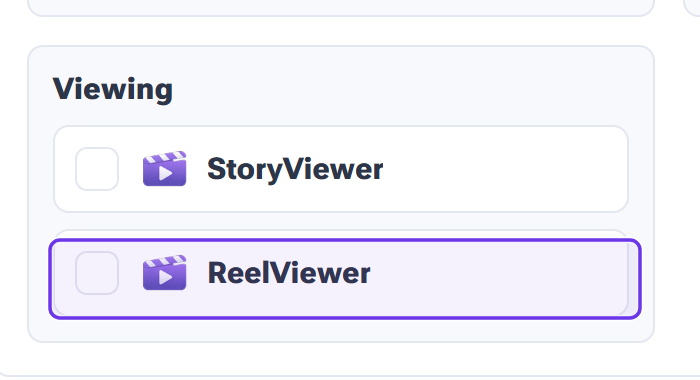
You’ll find ReelViewer in the Viewing group of the Add Automations dialog. Its Settings tab uses the same pattern as every viewer tool: an hourly and a daily view range plus Active days.
Min/Max Per Hour
Reel viewing is one of the lowest-scrutiny actions on Instagram — it’s completely passive behavior that billions of users perform continuously. Run it at comfortable rates with meaningful variation between min and max.
| Account Stage | Min/Hour | Max/Hour |
|---|---|---|
| Warm-up (days 1–14) | 5 | 15 |
| Standard (established account) | 10 | 30 |
Refer to the Daily Action Limits guide for the Instagram-specific daily caps on Reel viewing.
Min/Max Per Day
ReelViewer can sustain higher daily totals than most other tools — the action is lightweight and algorithmically encouraged. Set your daily cap generously and let the source pool be the natural limiting factor. On days when fewer niche Reels are published, the tool will naturally slow down; on high-content days, it will run closer to the cap. That organic variation is exactly the right behavior.
Active Days
Run ReelViewer 6 days a week. It’s safe enough to run at high frequency, and consistent Reel watching is how the algorithm builds a clear picture of your account’s content preferences over time. Intermittent watching produces a weaker signal than steady, daily engagement with your niche’s content.
Engage with Profile
Keep ON. SM Tasker navigates to the creator’s profile and opens the Reel from there — the same path a real user takes when they discover a creator through the Reels feed. This adds a profile visit to the interaction trail, creating a secondary discovery signal alongside the view itself.
Interaction Level
Use Just Browsing for ReelViewer. The tool’s value is in the volume and consistency of niche Reel watching, not in the depth of engagement per creator. Just Browsing keeps the views per hour high and the signal delivery efficient. Open to Interaction or Want to Connect are better suited to tools where the quality of each individual interaction drives the outcome — ReelViewer works on accumulation, not depth.
Source Strategy for ReelViewer
ReelViewer needs to find niche Reels — video content posted by accounts in your space. Not all source types surface video content equally well.
- Hashtag Search (rank 150–200) — the primary source. Use your niche hashtag list; SM Tasker will find Reels posted under those hashtags. Active hashtag communities produce consistent Reel content, making them the most reliable source for continuous viewing.
- Explore Feed (rank 100–150) — surfaces Reels that are currently trending in your niche. As your account’s Explore feed becomes more niche-calibrated through ReelViewer’s own activity, this source becomes progressively better over time — a compounding effect.
- Account Search (rank 75) — find Reels from specific creator types in your niche. Useful as a background source for targeting accounts whose Reel content consistently matches your niche profile.
For the complete source strategy, see Sources & Targeting Mastery.
ReelViewer as Your Primary Warm-Up Tool on Instagram
For new Instagram accounts, ReelViewer is the single best warm-up action available. Here’s why: Instagram is particularly sensitive to accounts that immediately start following and liking at volume with no prior watch history. An account that jumps straight into aggressive engagement with no content consumption pattern looks automated from day one.
Reel watching establishes that pattern. An account that has watched 200–300 niche-relevant Reels in its first week looks like a real user who discovered the platform, explored the content space, and is now starting to engage. That activity history makes subsequent Follow and Like actions land in a context that’s far more consistent with natural account behavior.
Recommended warm-up use:
- Days 1–3: ReelViewer + StoryViewer only — pure consumption behavior, zero engagement actions
- Days 4–7: Add Like at conservative limits — content consumption plus light engagement
- Days 8–14: Add Follow at conservative limits — now the account has a content history that supports the follow pattern
- Day 15+: Add Comment and remaining tools with an established activity foundation
See the Account Warm-Up guide for the complete schedule with daily targets at each stage.
Pro Strategies
ReelViewer + Like: Compound Algorithm Signalling
Run ReelViewer and Like on the same niche hashtag sources. SM Tasker watches Reels from accounts in your niche and likes their posts — combining a passive consumption signal (the view) with an active engagement signal (the like) on the same content pool. From the algorithm’s perspective, this is exactly how a genuinely interested user behaves: they watch content in a niche and engage with what they enjoy. The combined signal is stronger than either action alone for establishing your account’s niche identity.
ReelViewer During Cooldown Periods
When Follow or Comment is paused by Auto-Suspend after a block, ReelViewer can continue running without any concern. It doesn’t share the action type that triggered the block, and its risk profile is minimal. Keeping ReelViewer active during cooldown periods maintains the account’s content consumption pattern — which is the behavior that makes Instagram’s algorithm treat the account as legitimate even during periods of reduced engagement activity.
Common Mistakes
| Mistake | Why It Hurts | What to Do Instead |
|---|---|---|
| Not using ReelViewer during warm-up | New account jumps straight to engagement with no content consumption history — looks automated from day one | Start ReelViewer on day one of warm-up; establish watch history before adding any engagement tools |
| Using off-niche hashtag sources | Watching Reels from outside your niche confuses the algorithm’s understanding of your account; Explore feed becomes less relevant over time | Use only niche-relevant hashtag lists as sources; consistency of niche signal matters more than variety of content types |
| Pausing ReelViewer when other tools get blocked | Interrupts the content consumption pattern that supports the account’s legitimacy during a sensitive period | Keep ReelViewer running during any cooldown; only pause the specific blocked tool |
| Running ReelViewer intermittently rather than continuously | Sporadic watching builds a weaker niche signal than consistent daily viewing; Explore feed calibration takes longer and is less precise | Run ReelViewer 6 days a week continuously; consistent watching is what drives the compounding algorithm benefit |
What to Do Next
- The VideoViewer Tool: Train TikTok’s Algorithm to Work for You — If your stack runs on TikTok as well as Instagram, VideoViewer is the direct equivalent of ReelViewer for the For You Page.
- The Contact Tool: Automated DMs That Don’t Feel Automated — With your full visibility and engagement stack running, the Contact tool is the next layer for accounts focused on lead generation or direct outreach.
- Safety Features: Restrictions, Auto-Suspend & Ignore Lists — Understand how SM Tasker’s safety layer works automatically in the background while your full tool stack runs.